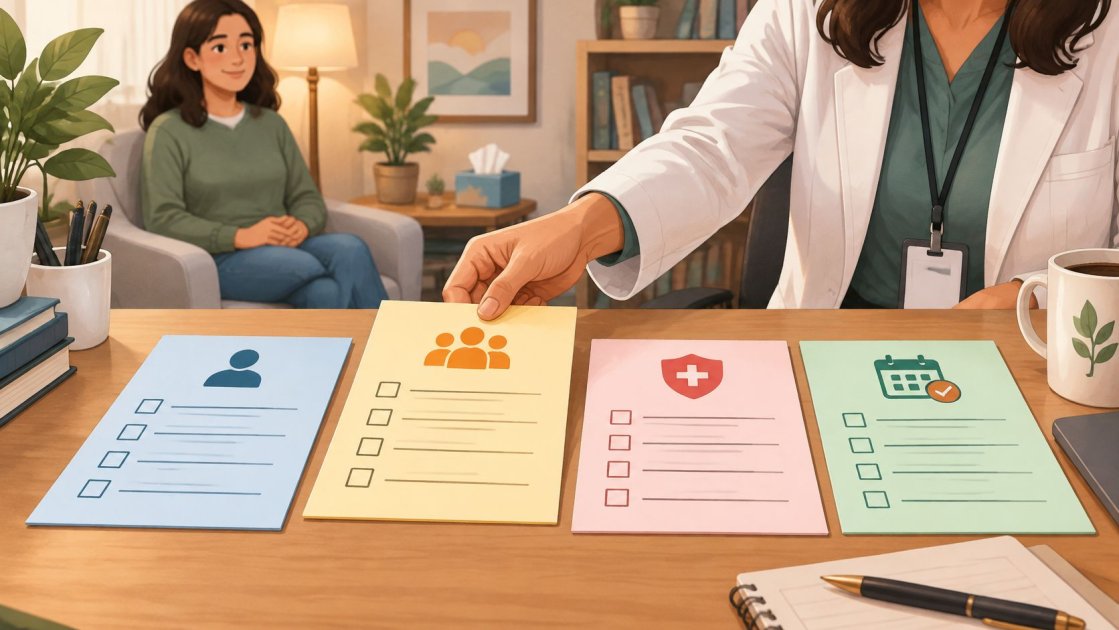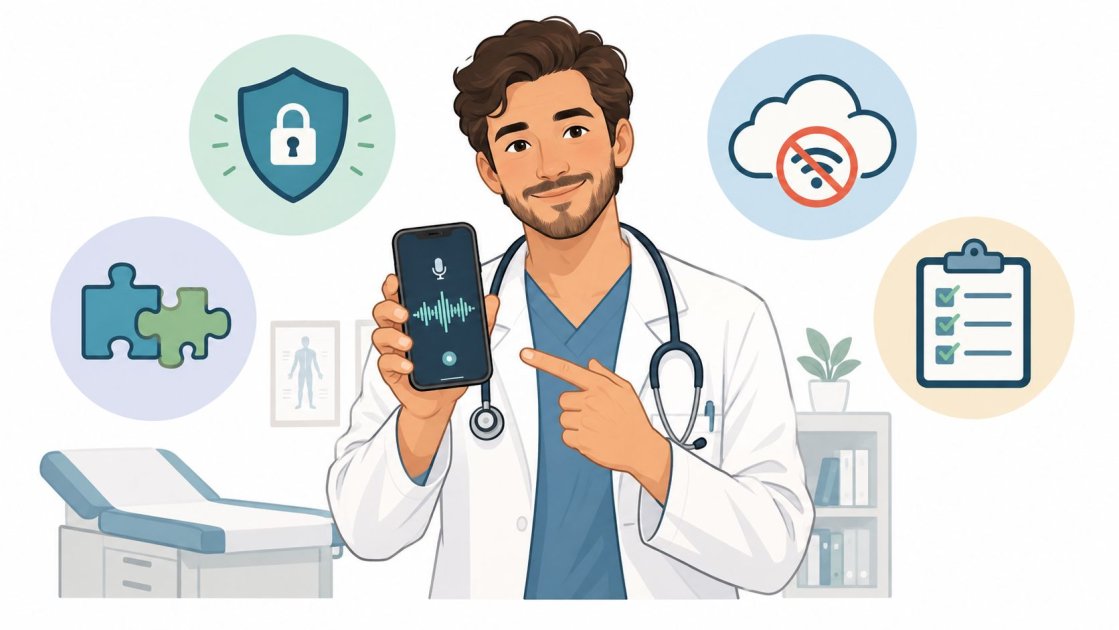
A clinician finishes the last appointment, closes the exam-room door, and opens the electronic health record. The waiting room is empty, but the workday isn't over. A few unfinished notes, a referral task, and a patient message can turn a short delay into another hour of charting.
A medical recording app changes that sequence by capturing the consultation while it happens, then turning the conversation into a structured draft. It doesn't remove the need for clinical judgment or final review. It shifts documentation from a memory exercise after the visit to a workflow that begins during the visit.
That distinction matters for a solo practitioner. The important questions aren't whether artificial intelligence sounds impressive in a product demonstration. They're whether the recording survives poor connectivity, whether the note fits the specialty, whether patient audio is protected, and whether the finished document can reach the permanent chart without creating another administrative chore.
What Clinical Documentation Costs a Small Practice Today
The last patient leaves, but the documentation does not. A solo clinician may finish the visit with the assessment still in working memory, then answer a message, return a call, or prepare for the next appointment. By the time the chart is open again, details have blurred and the EHR demands a structured note rather than a quick recollection.
Ambient documentation addresses part of that gap. It captures the clinician-patient conversation, separates speakers, and produces a draft that can be reviewed while the visit is still fresh. It does not replace judgment. The history, examination, assessment, plan, and follow-up instructions still require verification. The useful test is whether reviewing the draft takes less effort than starting from a blank note.
What the workflow actually changes
Traditional charting makes the clinician hold details in working memory, recall them later, and translate them into the EHR's fields. Recording shifts capture closer to the conversation, which can reduce continuous typing and post-visit dictation. The improvement is often modest rather than dramatic. A draft may save several minutes, yet still require correction, formatting, and copy-paste into the permanent chart.
Daily conditions matter. Ambient capture can fit a routine consultation with a clear conversational rhythm. It becomes less dependable during a rapid emergency, when several people speak at once, or when the record depends on visual examination and precise interpretation. Poor connectivity creates another practical fault line. A tool that cannot capture safely offline can turn a helpful workflow into a manual recovery task.
The clinician also needs a clear recording policy. Confirm consent, limit access to patient audio, and establish how recordings are retained or deleted under the practice's privacy obligations. Recording should pause when it adds risk or distracts from care.
Practical rule: A recording app should reduce documentation friction, not reduce the clinician's attention to the patient.
Efficiency claims need the same scrutiny as the workflow. A 2026 analysis of an academic emergency department found an association between ambient documentation and a 28% reduction in on-shift documentation time, from 3:50 to 2:45, along with a 16% reduction in total EHR time. The findings appear in the peer-reviewed analysis of ambient documentation in an emergency department. They show potential, not a promise that every visit becomes faster or that after-hours charting disappears.
For a small practice, evaluate the whole chain: audio quality, consent, offline operation, privacy agreements, template fit, draft accuracy, and the final copy-paste step into the EHR. A medical recording app earns its place by removing work from that chain, not by producing an impressive demonstration.
How Ambient Recording Became Mainstream
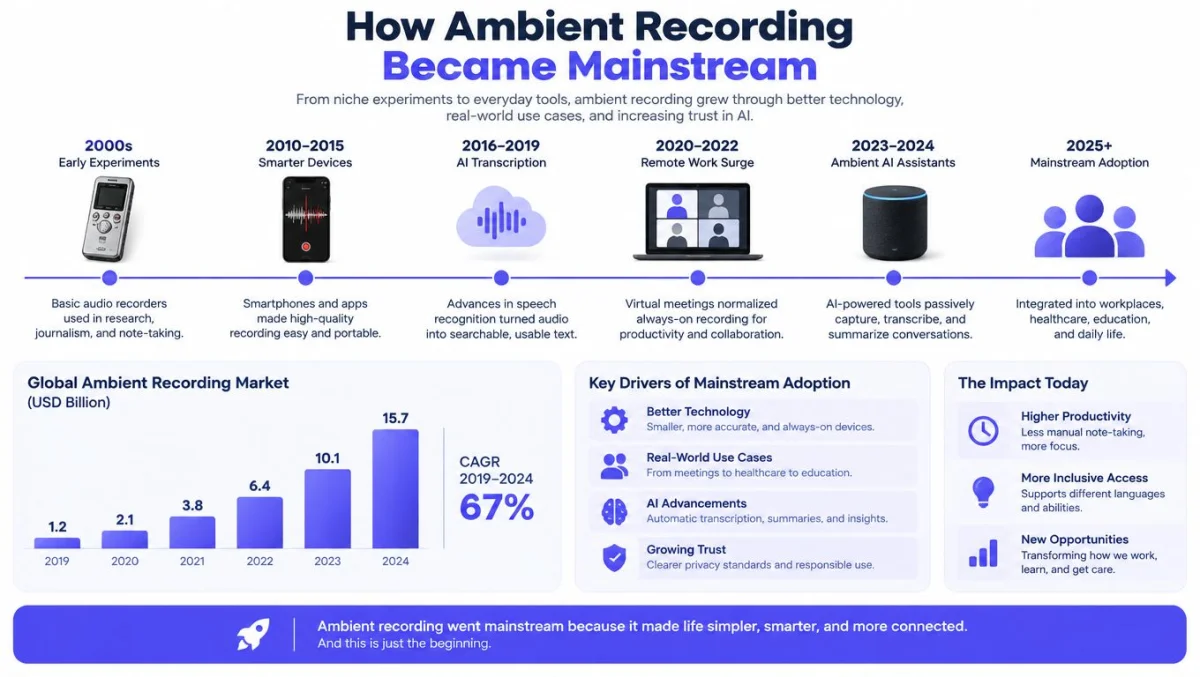
Medical recording software started with a narrow job: turning dictated speech into text. Ambient tools expanded that role by listening during a consultation, separating speakers, selecting clinically relevant details, and drafting a note in a chosen format. The practical shift is larger than faster transcription. The software now affects how a visit becomes a chart, including review, editing, and transfer into the EHR.
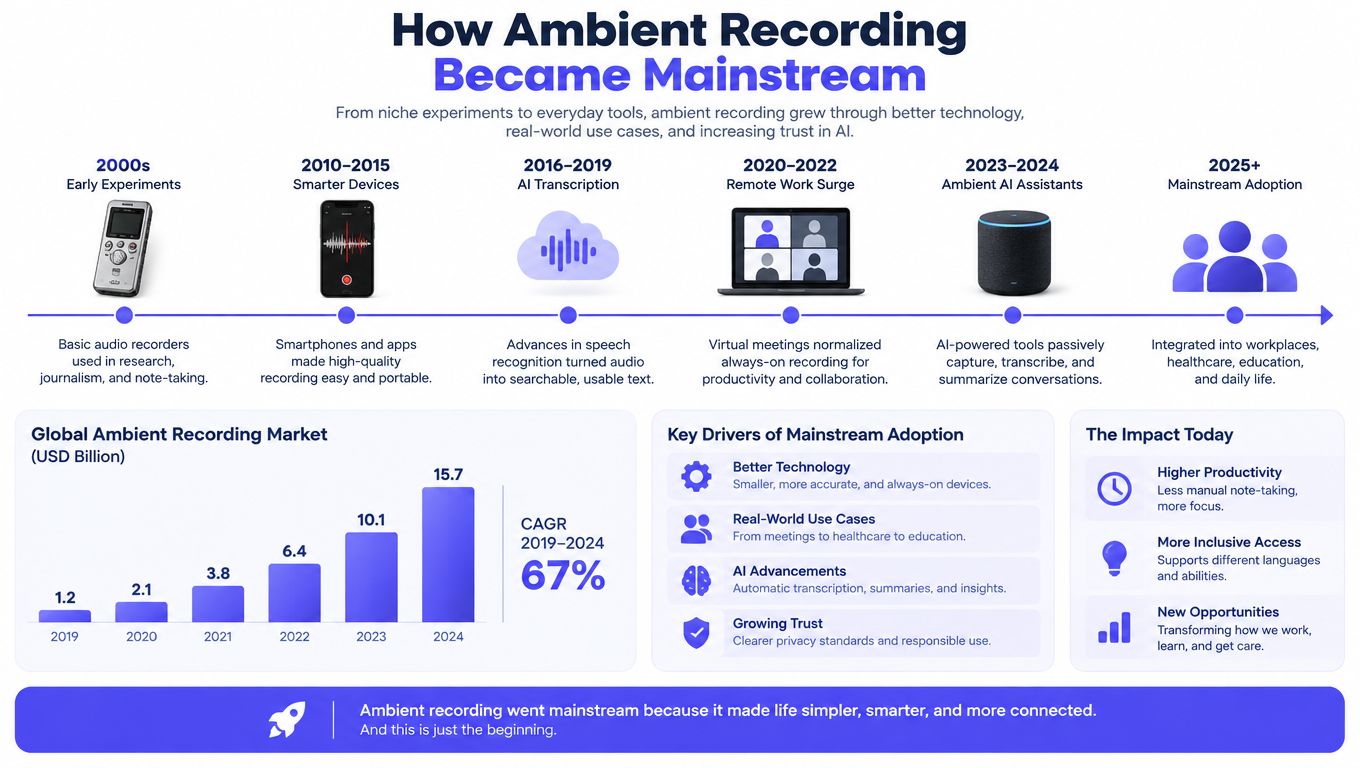
Large health systems helped move ambient documentation from a pilot project into a visible clinical category. Systemwide deployments showed that recording and note generation could become part of routine care rather than an isolated experiment. The infographic on the evolution and mainstream adoption of ambient recording technology reflects that broader shift.
For a solo practitioner, enterprise adoption proves possibility, not fit. A large organization can provide implementation support, standardized templates, and technical staff. A small practice may still review every draft manually, copy the final text into the EHR, and decide when recording is inappropriate.
Adoption is uneven
Broad adoption figures can conceal uneven day-to-day use. In a real-world emergency department study, only 11.2% of eligible encounters used ambient documentation, only 38% of attendings used it at all, and the top 10% of users accounted for 70.5% of ambient encounters. The real-world emergency department study also found that physicians tended to use ambient documentation for lower-acuity, non-interpreted visits.
That pattern explains why enterprise demonstrations can feel distant from ordinary practice. A tool may perform well in a controlled consultation yet create hesitation during complex, urgent, or highly technical encounters. Adoption depends on clinician trust, patient acceptance, draft quality, and the work left after review.
The market supports continued interest in cloud delivery and voice-enabled documentation. A Fortune Business Insights market analysis valued the global medical transcription software market at USD 2.92 billion in 2025 and projected USD 11.84 billion by 2034, with a 17.10% compound annual growth rate. It also reported cloud and web-based deployment at 77.86% share in 2026, with voice recognition at 63.54%.
Those figures describe market direction, not guaranteed savings for a small practice. A medical recording app earns its place only when the modest time saved exceeds the effort required to review, correct, and paste each note into the EHR.
Audio Capture and Offline Reliability
A clinician can lose more time fixing a poor recording than the app saves during the consultation. Audio quality is determined before transcription begins. A phone placed across the room may capture air conditioning, keyboard noise, hallway activity, masks, and overlapping speech more prominently than the speakers. These sounds make recognition harder and can distort the structure of the resulting note.
Devices designed for clinical audio typically use multiple beamforming microphones and automatic speaker separation. Those features give the transcription engine a better chance of distinguishing the clinician from the patient in a noisy exam room. The technical guide to ambient audio capture explains this general recording principle. Better input cannot guarantee a correct note, but poor input limits what the software can recover.
A practical capture routine
A small practice does not need a complicated setup. It needs the same sensible process at every visit.
- Position the device deliberately: Keep the phone or microphone close enough to capture both speakers, without placing it between the clinician and patient.
- Reduce avoidable noise: Close the door where possible, silence notifications, and keep the device away from keyboards or vibrating equipment.
- Check the opening: Confirm that recording has started. This prevents a silent session and gives the patient a clear opportunity to ask questions.
- Review difficult visits carefully: Multi-speaker conversations, heavily accented speech, technical terms, and poor room acoustics require closer review of the generated note.
The Isolate Audio guide to audio capture provides background on how recording systems collect and process sound. The practical rule is simple: transcription cannot restore words that the microphone failed to capture clearly.
Offline operation is a workflow requirement
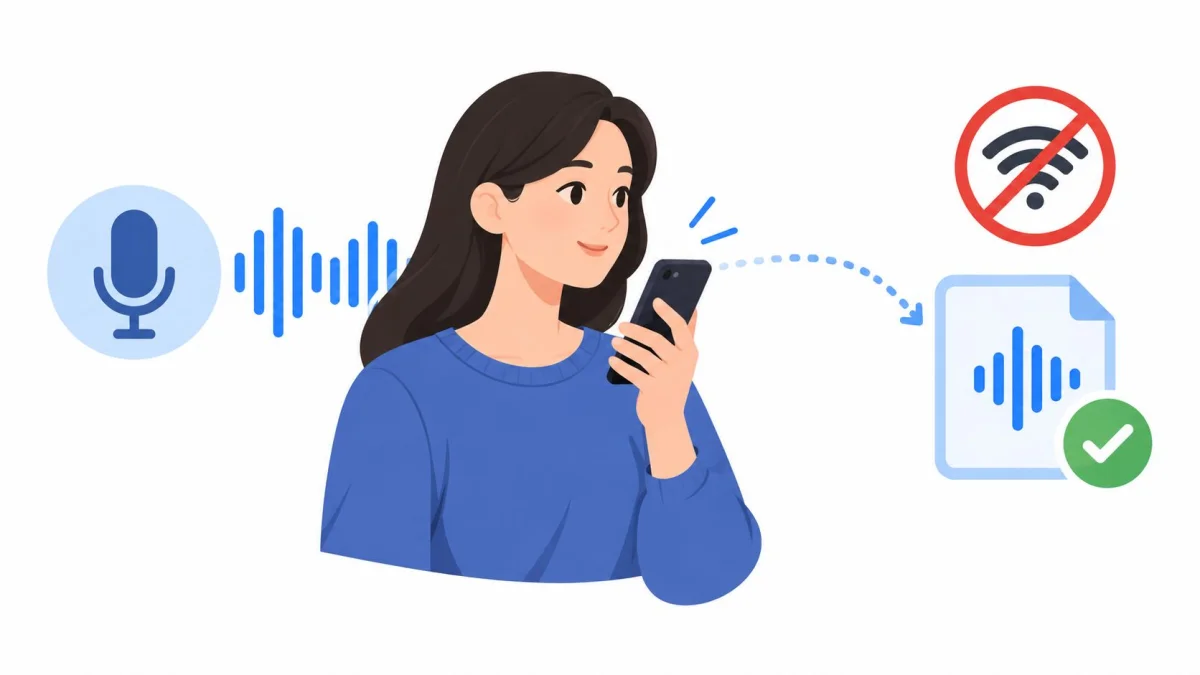
Connectivity can fail in a consultation room, basement treatment area, or location with weak cellular service. If recording depends on a live connection, the clinician may have to switch to manual notes or reconstruct the encounter later. That interruption is particularly frustrating when the visit itself went smoothly.
An offline-capable native mobile app keeps recording on the device during a connection failure and uploads the file after connectivity returns. The PatientNotes recording session guidance describes how to start and manage a recorded visit, including the practical steps involved in session handling.
Offline capture supports continuity, not unrestricted storage. The device still needs a passcode, current operating-system security, controlled access, and a documented process for a lost or replaced phone. Practices should also decide who can access locally stored audio and when it should be removed after upload. A weak signal should not determine whether a clinician can capture the consultation, but local audio remains protected health information while it is on the device.
Templates, Specialties, and Coding Support
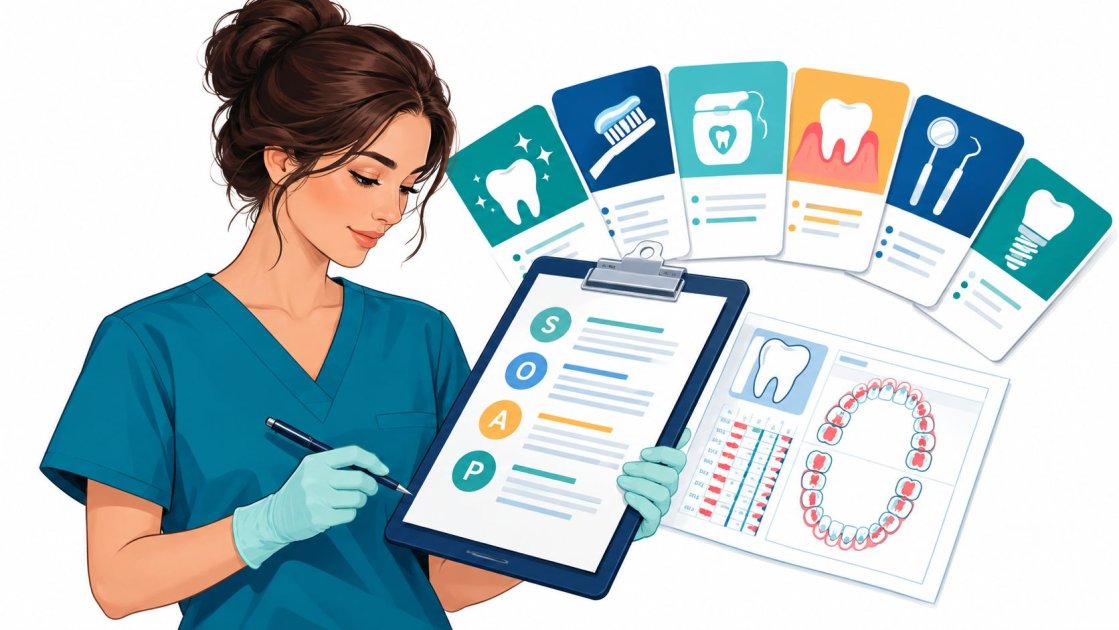
A transcript isn't a finished clinical note. A useful medical recording app must place information in the structure the clinician uses. A general history and physical note, a psychotherapy progress note, a dental consultation, and a physiotherapy assessment don't ask for the same organization or level of detail.
Rigid templates can make an app appear consistent while forcing clinicians to edit every note into a familiar format. Specialty-specific templates reduce that editing when they reflect the visit type. A template builder adds another layer of control by allowing the clinician to start from an existing note, a dictation, a prompt, or an uploaded document.
Match the note to the visit
PatientNotes provides specialty templates across 37 specialties, including primary care, psychiatry, psychology and psychotherapy, dentistry, physiotherapy, cardiology, dermatology, orthopedics, obstetrics and gynecology, and pediatrics. Its specialty template library also supports an AI template builder for practices that need a format outside the standard library.
The useful test isn't the size of a template catalogue. It's whether the resulting note matches the clinician's normal headings and review habits. A template should make important sections easy to find, not create a longer document filled with repetitive language.
A good setup process starts with a small set of common encounters. The clinician can compare the generated draft with a manually completed note, identify missing sections, and adjust the template before using it across the practice. That process usually reveals more than a generic demonstration.
Coding suggestions need review
Code suggestions can save search time, but they don't replace professional coding judgment. ICD-10, CPT, and CDT suggestions may help a US practice identify possible billing codes from the documented encounter. They apply to US billing only, and each suggestion still requires review against the actual documentation, payer rules, and the practice's coding process.
The app should also separate clinical documentation from administrative follow-up. A note may identify a referral task, a prescription discussion, a result to review, or an instruction to send. Those tasks need an owner and a completion process. A generated note that looks polished but leaves follow-up responsibilities unclear hasn't solved the whole workflow.
Review the structure before judging the wording. If the note lands in the wrong sections, the clinician will spend time reorganizing every encounter, even when the transcription is accurate.
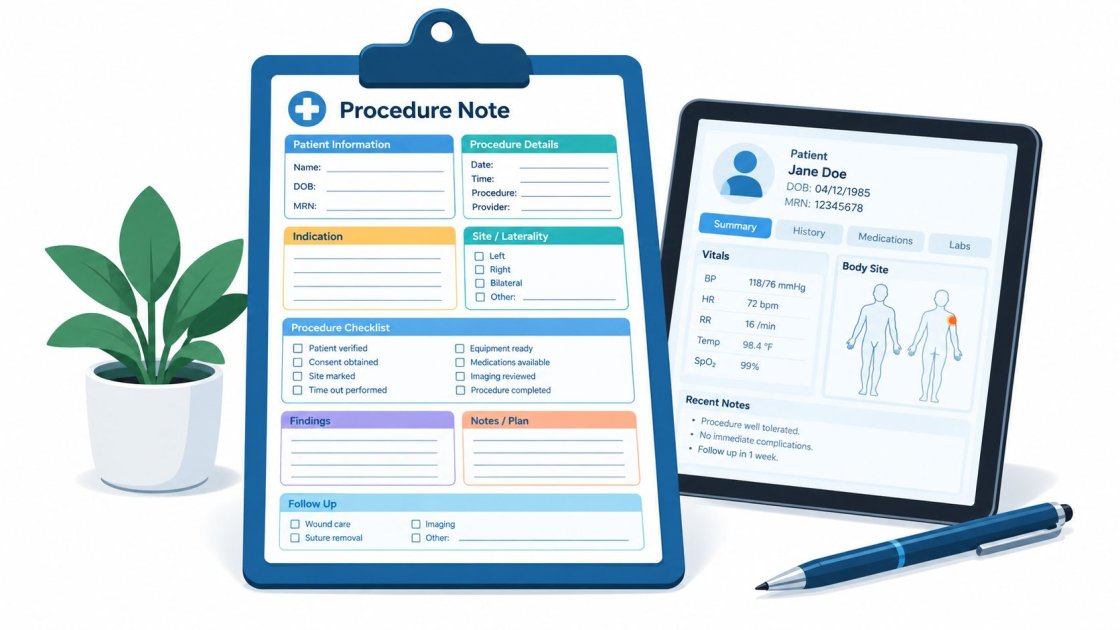
The medical note templates show the kinds of structures a small practice can evaluate. The best template is the one that makes the final review predictable and keeps the clinician in control of what enters the chart.
Navigating HIPAA, GDPR, and Data Privacy
Consultation audio isn't just another file. It can contain a patient's name, symptoms, medications, diagnosis, family history, and other identifying details. In the United States, the Department of Health and Human Services states that HIPAA-covered entities may use audio-only telehealth, but they must still apply the privacy rule's safeguards. The HHS guidance on audio-only telehealth provides the relevant federal context.
A practice also needs to understand the difference between a vendor's security controls and the practice's own compliance responsibilities. “HIPAA compliant” isn't a substitute for a documented workflow. The practice remains responsible for device security, user access, patient communication, retention decisions, and appropriate use.
The agreement is part of the workflow
For a covered entity using a service to handle protected health information, a signed Business Associate Agreement is a central requirement. The agreement should identify the permitted use of the information and the vendor's responsibilities if a breach or other security incident occurs. A vendor that offers encryption but won't provide the required contractual arrangement creates a practical compliance gap.
Offline recording can reduce the amount of time raw audio spends in transit or in cloud storage. It doesn't eliminate the need for safeguards. A device that stores protected audio should use strong access controls, remain under the practice's control, and follow a retention policy. The guidance on HIPAA BAA requirements explains why the agreement can't be treated as an optional product add-on.
Questions for a US or UK practice
A vendor assessment should produce clear answers, not broad assurances.
- Where is audio stored: The practice should know whether raw recordings are retained, when they are deleted, and whether the note can remain without the audio.
- How is data protected: Encryption in transit and at rest, access controls, audit logs, and sensible account recovery procedures should be documented.
- Who can access sessions: Staff roles should reflect actual responsibilities. A receptionist may need scheduling access but not unrestricted access to consultation recordings.
- How is consent handled: The practice needs a consistent way to explain recording to patients and respond when a patient declines.
- How is data minimized: The workflow should avoid collecting audio that isn't needed and should remove it according to a defensible retention policy.
UK practices must also consider UK GDPR requirements, including lawful processing, data minimization, retention limits, access controls, encryption, and deidentification where appropriate. The practical discussion of protecting patient data in 2026 provides additional context for connecting technical safeguards to day-to-day handling.
PatientNotes states that it is HIPAA compliant, includes a BAA at no extra cost, and uses encryption in transit and at rest with audit logs. Those claims still need to be assessed alongside the practice's own policies. A secure vendor cannot compensate for an unsecured phone, shared credentials, uncontrolled exports, or indefinite retention.
EHR Integration Versus Copy and Paste
Deep EHR integration sounds like the obvious standard. It can reduce clicks when the integration is stable, approved, and maintained. For a small practice, however, the integration itself can become another dependency, especially when the practice uses an EHR that the vendor doesn't support.
Copy and paste is simpler, but it works across systems. The clinician reviews the generated note in the recording app, copies the approved content, opens the correct patient chart, pastes it into the right note field, and completes the practice's normal signing process. That sequence is visible and easy to train.
Integration has a cost
A native connection may require authentication setup, permissions, interface maintenance, vendor coordination, and changes when the EHR updates. A small practice may not have an IT department to troubleshoot those issues. If the connection fails on a busy clinic day, the clinician still needs a dependable fallback.
PatientNotes has a native integration with Semble. Every other EHR is handled through copy and paste. The product isn't designed for health systems that require deep integration with a large proprietary EHR, and it doesn't provide a Chrome extension. Those limits are important for an honest buying decision.
A safe clipboard workflow
The physical process should be as deliberate as the recording process.
- Finish the clinical review first. Correct names, dates, medication details, examination findings, and the plan before moving text into the chart.
- Confirm the patient chart. Use the practice's normal identifiers and check that the destination record belongs to the current patient.
- Paste only the approved content. Avoid carrying unrelated text, another patient's details, or internal drafting comments into the permanent record.
- Complete the EHR sign-off. The clinician remains responsible for the final note, regardless of how the draft was created.
- Handle the source recording according to policy. The practice should know whether the audio is retained, deleted, or available for restoration.
Copy and paste isn't automatically better than an integration. It is often more transparent for a solo clinician who values compatibility and a clear manual checkpoint. The right choice depends on whether the practice needs automation more than it needs independence from a particular EHR connection.
A Buyer's Checklist for Small Practices
A small practice shouldn't buy a medical recording app based on a polished demo alone. The clinician needs to test the complete loop, from patient introduction and consent through recording, note generation, review, EHR transfer, and follow-up. A tool that performs well at transcription but fails at any other point can add work instead of removing it.
Evaluate the daily workflow
The trial should include the visits that create the most friction, not only easy consultations. A clinician can test a routine follow-up, a visit with several speakers, a specialty-specific encounter, and a session conducted where connectivity is unreliable. Each test should answer whether the note is usable after normal review.
The following matrix keeps the evaluation grounded in practice rather than marketing language.
| Evaluation Criteria | Ideal Standard for Small Practices |
|---|---|
| Pricing | Clear per-user pricing, with monthly and annual options shown publicly |
| Trial access | A free trial that doesn't require a credit card |
| Contract terms | No long commitment, with a clear cancellation process |
| Refund protection | A stated money-back period |
| Privacy agreement | A BAA available for US covered entities |
| Recording access | Native mobile recording that continues when connectivity drops |
| Audio workflow | Clear speaker separation and practical guidance for room setup |
| Templates | Specialty-specific formats plus a way to build or adjust templates |
| Coding support | Suggestions clearly limited to the applicable billing system and reviewed by a clinician or coder |
| EHR workflow | A reliable integration where available, with copy and paste for other EHRs |
| Language support | Notes and tasks available in the clinician's working language |
| Support | A responsive team that can answer workflow and account questions directly |
| Product scope | Honest limits, including unsupported integrations and unavailable browser features |
Check the commercial terms
PatientNotes charges $70 per user per month when billed monthly or $50 per user per month when billed annually. It offers a 7-day free trial without a credit card, a 14-day money-back guarantee, no contract, and cancellation at any time. The PatientNotes pricing page provides the current terms, which may change.
There is no enterprise tier and no sales call. That structure suits a clinician who wants to test the workflow without negotiating a health-system package. It also means the practice should assess support responsiveness during the trial rather than assume that a larger account team will be available.
Judge the note, not the novelty
The final decision should rest on ordinary work. Can the clinician review a note quickly? Does the template reflect the specialty? Does the app preserve recording when the signal fails? Can the practice explain its privacy process to patients and staff? Can the generated content reach the permanent chart without confusion?
PatientNotes records consultations through its web experience and native iOS app, generates structured notes and follow-up tasks, provides specialty templates and an AI template builder, and supports copy-and-paste use with EHRs other than Semble. It also produces notes and tasks in the clinician's own language. Those capabilities may fit an individual clinician or small practice, but the practice should still test them against real visits before adopting the workflow.
PatientNotes offers a native iOS recording workflow with offline capture, specialty templates across 37 specialties, an AI template builder, structured notes, follow-up tasks, and a BAA included with its HIPAA-compliant service. Visit PatientNotes to review the workflow and start the 7-day trial without entering a credit card.