A procedure ends, the patient is settled, and the next encounter is already waiting. The note still has to explain why the procedure was done, what was performed, and what happens next, often from memory between other tasks. A practical procedure note template closes that gap when it works as a short, procedure-aware checklist rather than a long form filled with boilerplate.
Why Procedure Notes Need a Reliable Structure
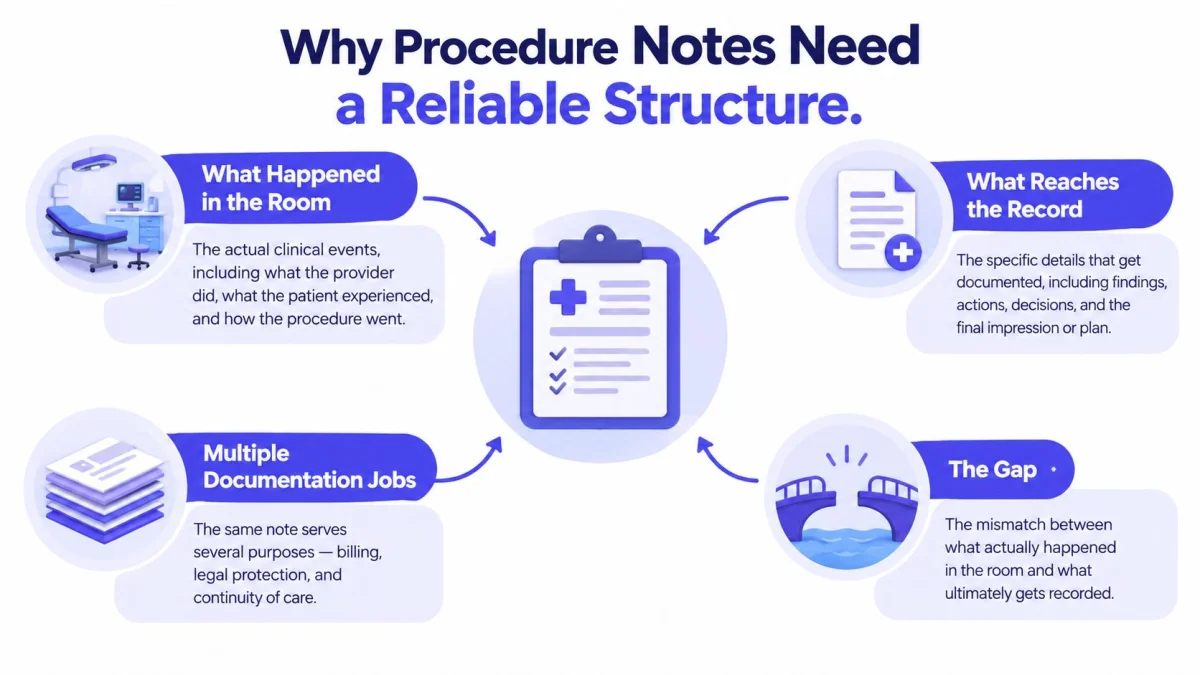
Clinical documentation isn't a marginal task. A national cross-sectional study published in 2022 found clinicians saw an average of 34 patients per week and spent a mean of 9.5 minutes documenting notes per visit, with total EHR time averaging 27.2 minutes per visit and after-hours EHR work averaging 4.4 minutes per visit, according to the 2022 national cross-sectional study of EHR activity. Repeated across a full clinic schedule, small omissions become routine.
A procedure note carries more jobs than a simple log. It links the patient and encounter, records the indication, describes the technique, captures findings and complications, and assigns follow-up. If any link is missing, a covering clinician, coder, or reviewer has to reconstruct the event from fragments.
A Checklist, Not a Substitute for Judgment
Standardization has a measurable effect when it's used as a cognitive aid. In a two-cycle audit, a structured proforma improved patient identification from 2% to 100%, preoperative diagnosis from 8% to 93.5%, and postoperative care instructions from 0% to 76.1%, each significant at p<0.0001, as reported in the two-cycle audit based on Royal College of Surgeons of England guidance. Some fields still declined after intervention in related audits, which is the useful warning.
Practical rule: Keep a compact required core, add only relevant specialty fields, and preserve narrative space where structured values can't carry clinical meaning.
That principle suits US and UK outpatient practice. Payer, specialty, and local policy still determine final required fields, so the template should prompt review rather than declare a universal standard.
Procedure Note Categories and Field Requirements
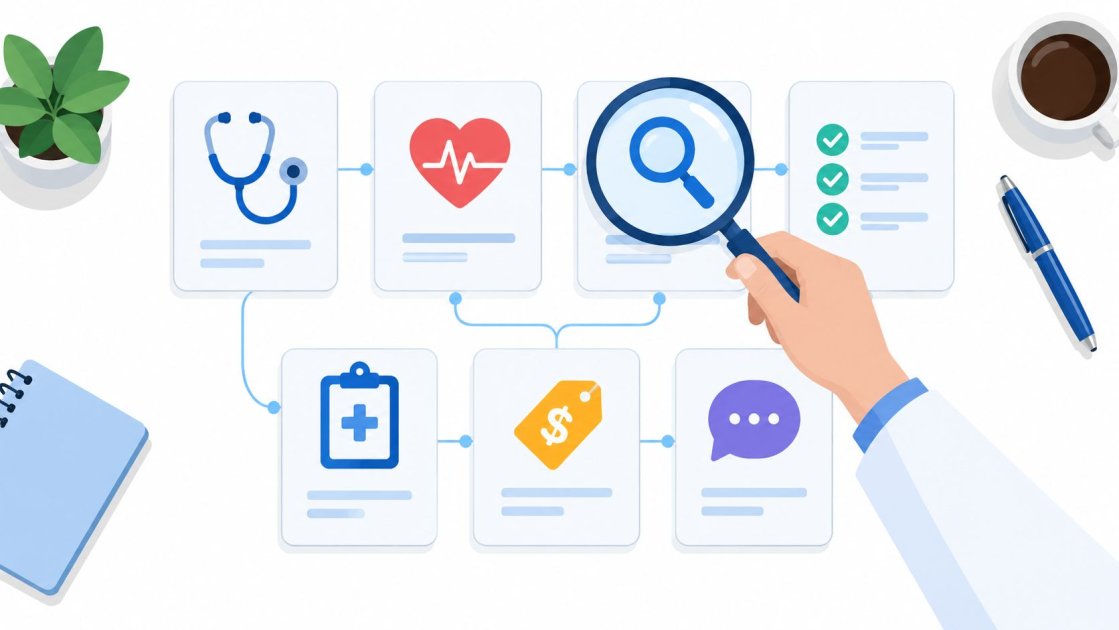
Six functional categories organize a procedure note without turning it into six separate forms. Each category answers a distinct reader question, and each keeps facts that must be accurate for the record separate from details that become relevant only for specific procedures. Categories are controls for completeness, not extra paperwork.
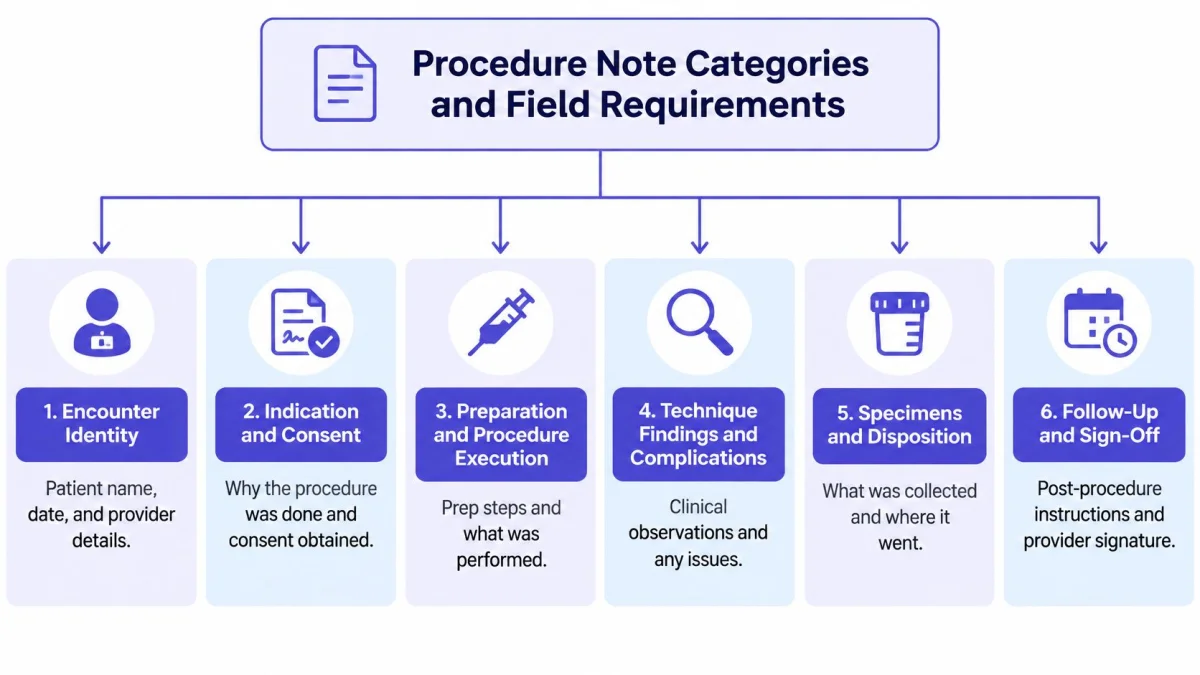
- Encounter Identity: Who was treated, when, where, and by whom? Fields include patient identifiers, encounter identifiers, date, time, location, and performing clinician.
- Indication and Consent: Why was the intervention done, and what was agreed? Fields include indication, pre-procedure diagnosis, consent, alternatives, and relevant risks.
- Preparation and Procedure Execution: What was prepared and performed? Fields include anesthesia or sedation, site preparation, procedure name, approach, and technique.
- Findings and Materials: What was found and used? Fields include key findings, specimens, devices, implants, medications, materials, and imaging guidance when used.
- Outcome and Complications: How did the patient respond? Fields include complications, estimated blood loss when applicable, tolerance, immediate condition, and post-procedure diagnosis.
- Aftercare or Handoff: What must happen next, and who owns it? Fields include recovery monitoring, instructions, restrictions, result ownership, timeframe, and follow-up tasks.
Fields That Cannot Be Treated as Generic
Laterality and body site illustrate the problem with treating every field as optional. A left knee procedure, a right-sided specimen, and a midline wound carry different safety, coding, and handoff implications. The same applies to a medication concentration, a device identifier, or imaging guidance. Those fields aren't decorative detail. They're the facts that make the note traceable.
A dental procedure may need material and tooth surface prominence, while a joint procedure may need anatomical site and injectate detail. The shared categories stay stable. The emphasis inside each category changes with the procedure, which is exactly how a procedure note template stays short without becoming vague.
Copy-Ready Core Procedure Note Template
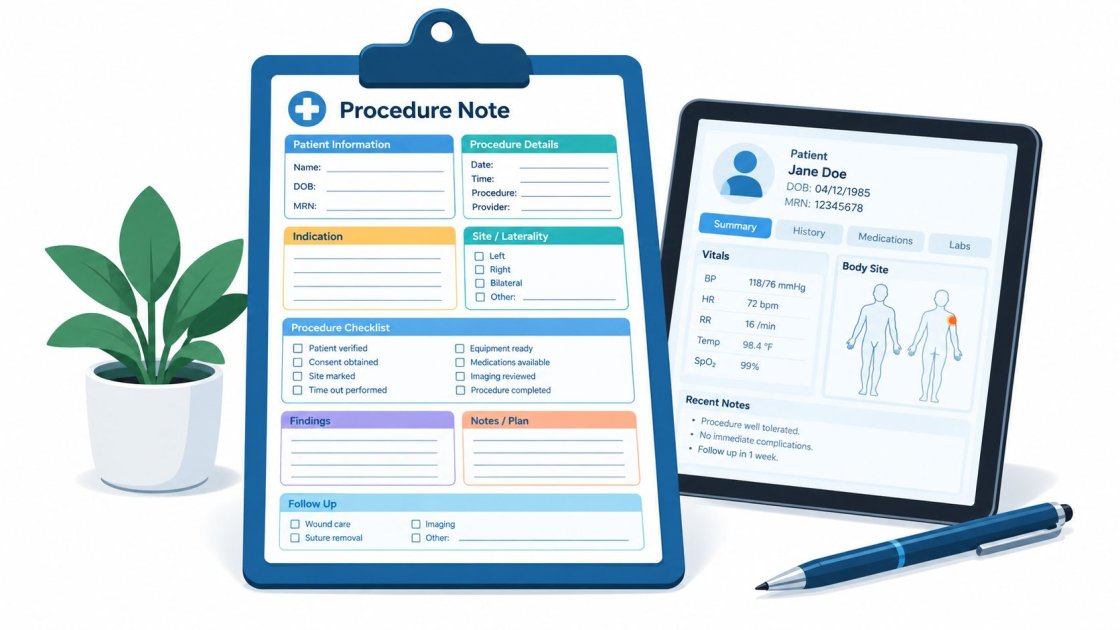
The core below is built for direct copying into a note editor, EHR preference, or document. Bracketed prompts stay separately editable where a system supports structured fields. Conditional fields are marked as conditional rather than filled with assumed content, because a blank prompt that prompts review is safer than invented detail.
The Joint Commission states that it does not prescribe a specific paper or electronic medical-record format and that compliance is evaluated against applicable content requirements, as set out in the Joint Commission standards interpretation on record format. Content, legibility, date, time, and authentication matter more than imposed layout.
Core Template
- Patient and Encounter: [Patient identifiers] | [Encounter identifier] | [Date] | [Time] | [Location]
- Performing Clinician: [Name and role] | [Other participants, if applicable]
- Procedure: [Procedure name] | [Procedure code placeholder for review, if applicable]
- Indication: [Reason for procedure] | [Pre-procedure diagnosis]
- Consent: [Authorization obtained, conditional wording for local review] | [Risks, benefits, and alternatives discussed as applicable] | [Interpreter or communication needs, if relevant]
- Preparation: [Relevant preparation] | [Allergy or risk check, if clinically appropriate]
- Anesthesia or Sedation: [None, or agent, dose, route, if applicable]
- Site: [Body site] | [Laterality, if applicable] | [Imaging guidance, if used]
- Technique: [Narrative description of approach and steps performed]
- Findings: [Key findings, including relevant negatives where appropriate]
- Specimens, Devices, and Materials: [Specimen and destination, if applicable] | [Device, implant, medication, or material used, if applicable]
- Estimated Blood Loss: [Amount, if relevant]
- Complications: [None observed, or description and response]
- Patient Tolerance and Immediate Condition: [Tolerance] | [Immediate post-procedure condition]
- Post-Procedure Diagnosis: [Diagnosis after findings]
- Recovery and Instructions: [Monitoring] | [Patient instructions] | [Restrictions and warning signs, if applicable]
- Follow-Up: [Task] | [Responsible person] | [Timeframe]
- Authentication: [Author] | [Date and time] | [Signature] | [Amendment label if changed after signing]
Optional Wording for Local Review
Consent wording, warning-sign language, and discharge phrasing should be approved against local policy before reuse. Optional phrasing is a prompt for review, not a statement that identical counseling occurred for every patient.
Two design choices keep the form usable. First, structured values work best for laterality, outcome, complications, and follow-up ownership. Second, a free-text technique field preserves clinically meaningful nuance that checkboxes flatten. A template that forces every event into picklists reads complete while saying little. A template that leaves everything as prose invites omissions. The core above splits the difference deliberately.
Specialty extensions sit below the core, not inside it. A practice adds prompts for specimens, implants, fluids, imaging, or functional measures only when the procedure type calls for them. That keeps routine notes compact and makes high-detail notes complete for a reason, not by habit.
Documenting Identity Consent and Preparation
A wrong encounter ID can attach a lesion excision to the wrong visit. Patient identifiers, encounter identifiers, date, time, location, and performing clinician anchor everything that follows, and an error here doesn't stay clerical. It puts a clinical event on the wrong record.
Indication and Pre-Procedure Diagnosis
Indication explains why the intervention happened. Pre-procedure diagnosis records what was understood before findings were known. Those aren't the same field, and merging them weakens later review. A concise entry works: indication stated in clinical terms, relevant objective findings noted, and the working diagnosis recorded separately.
Dental record-keeping guidance recommends capturing the presenting complaint, objective findings including relevant negatives, diagnosis, treatment rationale and alternatives, the procedure and materials, patient response, and next steps. That checklist works as a prompt, not as boilerplate to copy forward. Patient-facing material such as a guide to dental cleanings for NYC patients shows how preparation and expected steps are described in plain language, which helps keep clinician reasoning distinct from patient instructions in the note.
Consent, Communication, and Preparation
Consent prompts should ask, not assert. Fields work better as questions: was consent obtained, which risks and alternatives were discussed, how was agreement recorded. Prefilled claims that identical counseling occurred for every patient turn the template into a liability rather than a record. Practices refining consent fields can compare their structure against the PatientNotes informed consent tool as a reference for organizing authorization details.
- Allergies and Relevant Risks: Record when clinically appropriate to the procedure and materials planned.
- Communication Needs: Record preferred language and interpreter involvement where relevant, so instructions remain usable after the visit.
- Anesthesia or Sedation Plan: Name the plan when applicable, without assuming an agent or dose.
- Imaging Guidance: State whether guidance was used, since that fact can affect technique and billing review.
Consent and authorization requirements depend on the procedure, jurisdiction, setting, and local policy. The template's job is narrower than encoding law: make the clinician pause, confirm, and record what happened before the first instrument is used.
Documenting Technique Findings and Complications
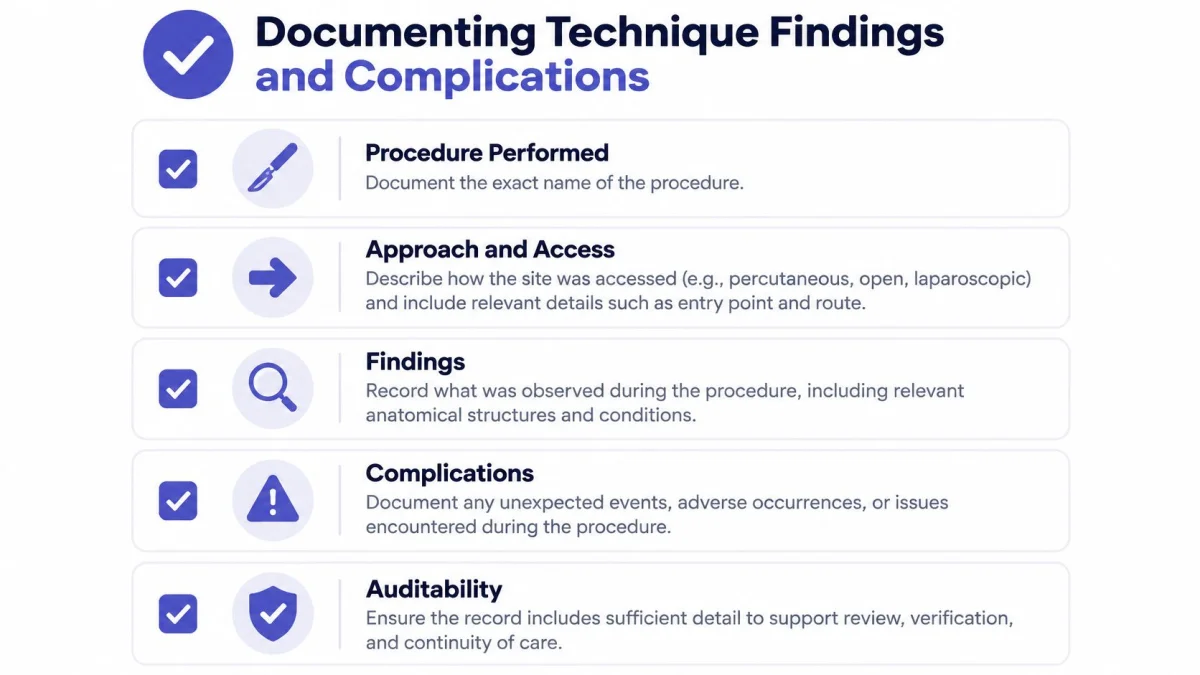
Execution fields make a note auditable. A reader who wasn't present should be able to reconstruct what was performed, where, with what materials, and with what immediate result. That reconstruction fails when the note relies on vague closing phrases.
Technique as Narrative, Facts as Structure
Consider the contrast. "Procedure completed" confirms almost nothing about site, approach, or findings. A stronger entry names the procedure performed, describes the approach and technique in a short narrative, and records body site and laterality as separate structured values. Narrative handles judgment and nuance. Structure handles retrieval and verification.
For cosmetic and soft-tissue work, patient-facing explanations such as gum contouring costs and risks show how technique, expected healing, and risk language are separated for readers. The clinical note needs the same separation, with performed steps kept distinct from counseling and aftercare.
- Findings: Record what was observed during the procedure, including clinically relevant negatives when they change interpretation.
- Specimens: Name each specimen, its source site, and its destination. Multiple specimens need separate lines, not a combined entry.
- Devices, Implants, and Materials: Record items used, with identifiers where local policy requires them.
- Medications and Fluids: Record agent, concentration, volume, or amount only when confirmed.
- Estimated Blood Loss: Include when applicable to the procedure type. Leave the prompt conditional for minor office procedures where it adds noise.
Complications, Tolerance, and Immediate Condition
Complications deserve an explicit field even when the answer is none observed, because silence reads as omission during review. When a complication occurs, the note should describe the event, the response, and the patient's condition afterward. Patient tolerance and immediate condition close the clinical loop: they tell the next clinician how the patient left the room.
Review boundary: Inferred or unmentioned details stay unknown until a clinician confirms them. A generated or templated draft must never convert an assumption into a performed action.
Conditional prompts protect that boundary. Multiple sites, implants, specimens, anesthesia details, and fluids appear when relevant and stay absent when they aren't. The note grows because the procedure demands it, not because the form does.
Examples for Common Procedure Types
One core structure can serve different settings when conditional emphasis changes. The fictional illustrations below aren't clinical or billing instructions. They show which fields carry extra weight in each workflow, while the shared core stays intact. Readers reviewing example formats can also compare structures through the PatientNotes medical report samples before adapting fields locally.
| Procedure type | Fields with extra emphasis | What stays shared |
|---|---|---|
| Minor office procedure | Site, laterality, medication, specimen destination | Indication, consent, tolerance, follow-up owner |
| Dental treatment | Tooth or surface, materials, patient response, next step | Diagnosis, rationale, technique, instructions |
| Allied health intervention | Functional findings, measures, progression, response | Reason for intervention, plan, review timeframe |
| Telehealth procedure | Setting, communication method, participants, safety plan | Consent, findings, instructions, accountable follow-up |
Short Filled Illustrations
Minor office procedure. Site is recorded as left forearm, laterality is explicit, the anesthetic agent and amount are confirmed by the clinician, and the specimen destination is named. Follow-up assigns result notification to a responsible clinician with a timeframe.
Dental treatment. The note emphasizes tooth and surface, material used, patient response during treatment, and the next planned step. Rationale and alternatives sit near the indication, so the technical record doesn't have to carry the reasoning alone. Combined surgical planning pages, including Georgia Plastic's mommy makeover breakdown, similarly separate staged steps from recovery expectations, a distinction that keeps multi-step procedure notes readable.
Allied health intervention. Functional findings lead, with the intervention described against a baseline and the patient's immediate response recorded. Progression criteria replace specimen or device fields, which stay hidden rather than blank.
Telehealth procedure. Setting, participants, and communication method are documented alongside consent and findings. Instructions emphasize warning signs and the route for urgent contact, since physical re-examination isn't immediately available.
The lesson is consistent. Specialty adaptation happens through conditional extensions, not through rewriting the core for every encounter. A procedure note template that expands everywhere eventually gets completed nowhere.
Coding Privacy and Human Review Controls
A well-structured note and a correctly coded claim aren't the same thing. CMS compliance material shows that missing documentation, including no procedure note, no signature, or no medical-necessity documentation, can lead to improper payments, as described in the CMS Medicare quarterly compliance newsletter. Documentation supports coding review. It doesn't replace it.
Coding Boundaries
ICD-10, CPT, and CDT suggestions apply to US billing only. A suggested code isn't proof that the final documentation supports that code, and it doesn't replace official coding guidance or payer rules. Clinicians reviewing automated suggestions can use the PatientNotes CPT and HCPCS tool as part of a review workflow, while final code selection stays with the responsible clinician or coder.
| Check before signing | Why it matters |
|---|---|
| Indication matches performed service | Supports medical necessity review |
| Laterality and site agree everywhere | Prevents internal contradiction |
| Anesthesia, devices, and specimens confirmed | Keeps inferred details out of the record |
| Immediate status and follow-up recorded | Completes the clinical handoff |
| Signature and amendments handled | Preserves attribution and change history |
Privacy Controls for Cloud Documentation
HIPAA compliance isn't a label pasted onto a privacy page. HHS states that a covered entity using a cloud service to create, receive, maintain, or transmit electronic protected health information must have a compliant business associate agreement in place, and that using such a service without one violates the HIPAA Rules, as set out in the HHS sample business associate agreement provisions. The agreement must describe permitted uses, prohibit uses outside the agreement or law, require safeguards, and require breach reporting.
That makes the BAA a procurement check for any documentation platform handling protected health information. Practices still remain responsible for their own access controls, recording consent, retention decisions, and internal policies. Human review before signature, prominent handling of unknown elements, and a signed BAA form one control set, not three separate concerns.
Connecting the Template to FHIR and EHR Workflows
Portability starts with field design, not with an integration logo. Structured procedure fields can align with the HL7 FHIR R4 Procedure resource, which defines the patient as a required subject reference and provides elements for category, procedure code, performance date or period, indication, body site, outcome, reports, complications, and items used, as specified in the HL7 FHIR R4 Procedure resource specification.
Mapping Fields Without Losing Meaning
Coded fields and narrative fields do different jobs. Procedure code and body site drive search, analytics, and billing workflows. The narrative technique field preserves how the work was done. Retaining original clinician wording alongside normalized codes, such as SNOMED CT or locally governed equivalents, reduces loss of meaning when terminology is mapped.
Three distinctions deserve explicit fields rather than combined text. Pre-procedure indication differs from post-procedure outcome. Devices or substances used differ from items merely available. Multiple body sites, complications, and reports need repeatable entries, since real procedures don't always fit single-value forms.
Many FHIR elements are optional in the base resource. Local implementation profiles and internal validation rules must define which fields are mandatory for each specialty and procedure type.
When Direct Integration Isn't Available
A template alone doesn't guarantee interoperability, and copy-and-paste workflows remain a practical route for many small practices. The safe sequence is plain: finalize and review the note, confirm the correct patient and encounter context, then paste the completed text into the correct chart location in the EHR. Separately editable structured fields make that transfer cleaner, because coded values can be re-entered where the receiving system requires them.
FHIR-aware design therefore pays off even without deep integration. Fields named and separated consistently today are easier to map, audit, or migrate later. Fields buried in undifferentiated prose aren't.
Using PatientNotes for Template-Based Documentation
Template-based drafting fits individual clinicians and small practices that need structure without a health-system integration project. The workflow record, draft, review, and export keeps the clinician as the author of record, with automation limited to transcription, structuring, and suggestions for review.
Recording and Template Options
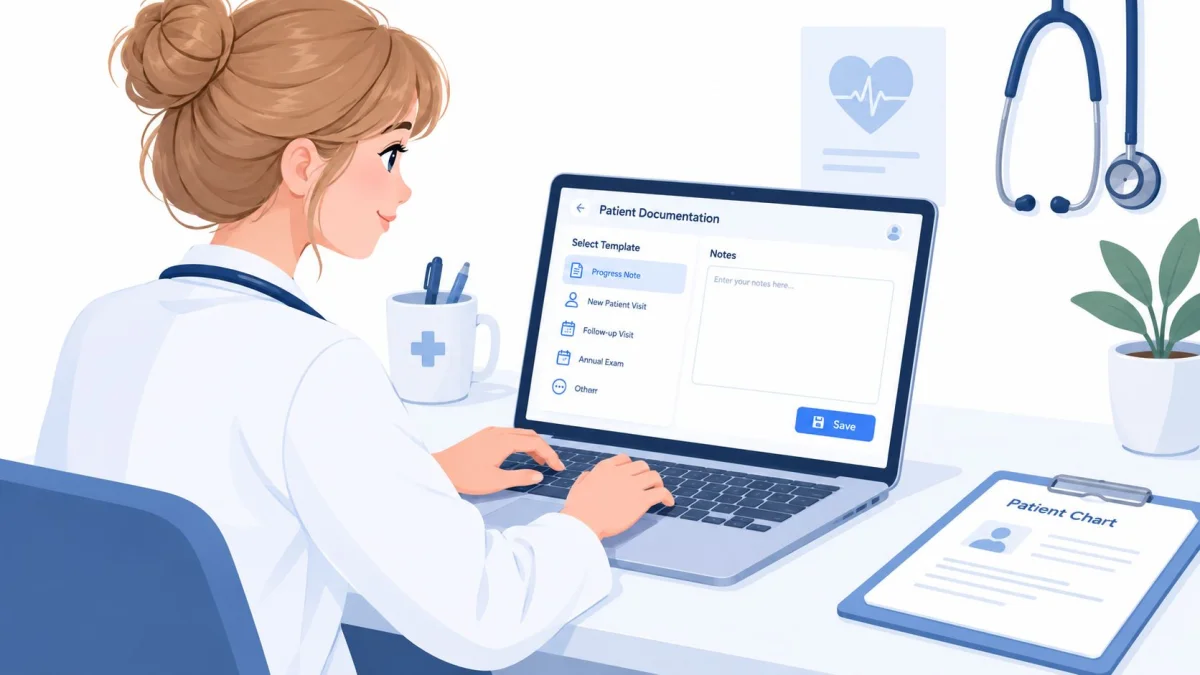
PatientNotes records consultations in person, by phone, or by telehealth, separates speakers, and produces a structured note using a selected template. Available formats include procedure, SOAP, history and physical, progress, consultation, discharge, and letter templates, plus specialty templates across 37 specialties. An AI template builder can turn a dictation, chat, or uploaded document into a reusable template, which suits practices adapting the core fields shown earlier.
Recording flexibility matters outside well-connected offices. Ambient recording runs on the web, and a native iOS app with offline recording keeps recording when the screen is locked. Offline capture doesn't remove the later synchronization and review step. Before export, the clinician confirms the correct patient and encounter, checks speaker separation, and verifies that generated procedure details match what occurred.
The following walkthrough shows the recording-to-note workflow in use.
After the note, the system extracts follow-up tasks and writes patient instructions in the clinician's chosen language. Notes and tasks are produced in the clinician's own language. The product is built by a London-based company and serves individual clinicians and small practices, mainly in the US with a growing UK user base.
Integration limits stay explicit. Semble is the only native EHR integration, and every other EHR works by copy and paste. There's no enterprise tier and no sales call. The service states that it's HIPAA compliant with a BAA included at no extra cost, while practices keep responsibility for access, consent, retention, and record-management policies.
Reviewing and Signing the Completed Note
A final pass works best as a fixed sequence, not a fresh read-through guided by instinct. The sequence starts with identity and ends with ownership, catching the errors that templates and dictation both produce: right content, wrong patient; right procedure, wrong side; complete technique, unassigned follow-up.
A Repeatable Final-Pass Sequence
- Confirm identity first: Correct patient, encounter, date, time, and author before reading clinical content.
- Check high-risk facts: Laterality, body site, procedure name, consent, specimens, devices, medications, and estimated blood loss where applicable.
- Compare against memory and source records: Technique, findings, complications, tolerance, and post-procedure diagnosis must match what occurred.
- Scan for template residue: Copy-forward text, unsupported details, vague negation, and boilerplate that wasn't individualized get corrected or removed.
- Verify handoff: Instructions, warning signs, restrictions, result ownership, and timeframe are present and readable by the patient where applicable.
A signed note that's later changed needs a clearly labeled amendment, not a silent replacement of the original content.
Every entry stays legible, dated, timed, and authenticated, with authorship attributable to the responsible clinician under the practice's record-management rules. Unknown or unmentioned elements stay flagged as unknown rather than smoothed into confident prose.
Periodic audits keep the habit honest. A small sample of signed notes, checked against the template categories, shows which fields drift toward omission or copy-forward text. Training and specialty-specific adjustment then target real gaps instead of generic reminders. The review sequence protects completeness without encouraging blind acceptance of any draft, whoever or whatever produced it.
Procedure Note Template Quick Reference
This lookup points to the right check without repeating the full template. Short glossary first: indication means the reason for the procedure, laterality means side of the body, specimen means material collected for analysis, device means an item used or placed, immediate condition means patient status right after the procedure, and authenticated entry means a dated, timed, signed record attributable to its author.
Procedure Note Lookup Guide
| Reader need | Go to | Check first |
|---|---|---|
| Choosing core fields | Core template section | Identity, indication, consent, technique |
| Adapting for a specialty | Examples section | Conditional extensions, not a new core |
| Documenting a specimen | Technique and findings section | Source site and destination per specimen |
| Reviewing a suggested code | Coding and privacy section | Indication and performed service agreement |
| Handling no EHR integration | FHIR and EHR section | Patient and encounter context before pasting |
| Checking privacy terms | Coding and privacy section | BAA in place before cloud use |
For product specifics, the PatientNotes pricing page lists $70 per user per month billed monthly or $50 per user per month billed annually, with a 7-day free trial that doesn't require a credit card and a 14-day money-back guarantee. The PatientNotes specialties page covers the template library, the PatientNotes comparison page supports side-by-side evaluation, and the PatientNotes resources library collects related documentation guides.
Clinicians who want a procedure note template that drafts from the actual encounter, extracts follow-up tasks, and keeps final review with the author can evaluate the workflow directly. PatientNotes offers procedure and specialty templates, offline iOS recording, and US code suggestions for clinician review, with transparent per-seat pricing and no sales call.