A blank note field is the hardest place to start. Most clinicians already have a format they trust, but it lives in an old chart, a colleague's template, or memory. A useful sample of medical reports should do more than show a polished finished document. It should explain what each field is for, what a weak entry looks like, and how the report supports care, handoff, follow-up, and review.
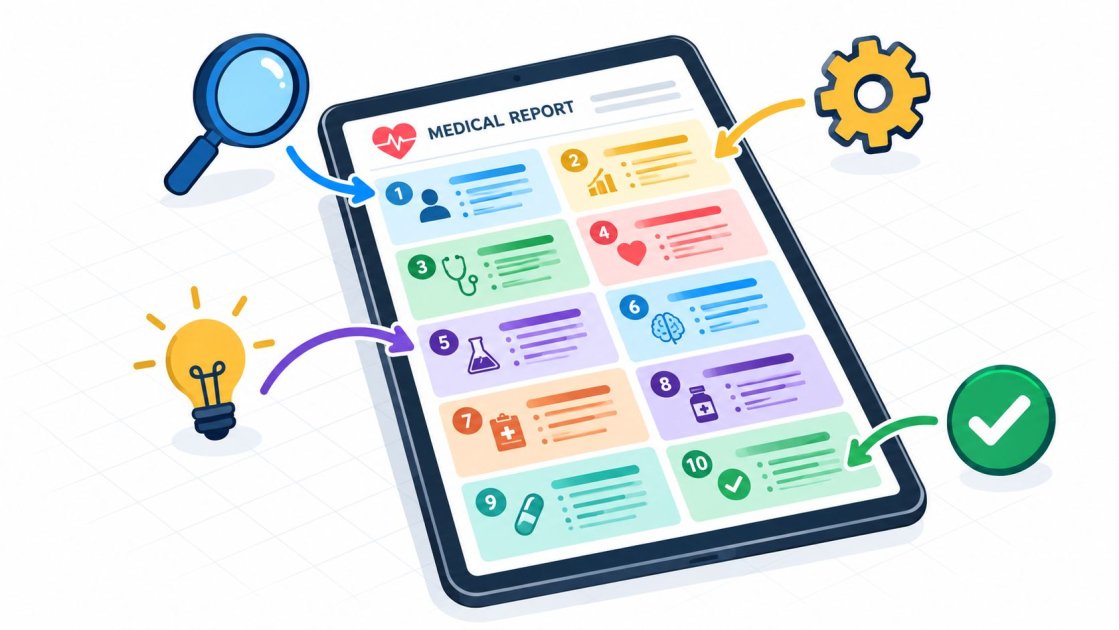
The ten examples below cover common reports used in primary care, specialist practice, mental health, dentistry, allied health, and hospital settings. Each sample is annotated field by field. The formats are starting points, not universal rules. They should be adjusted for the specialty, the receiving clinician, the patient's needs, and applicable local requirements.
1. SOAP Note
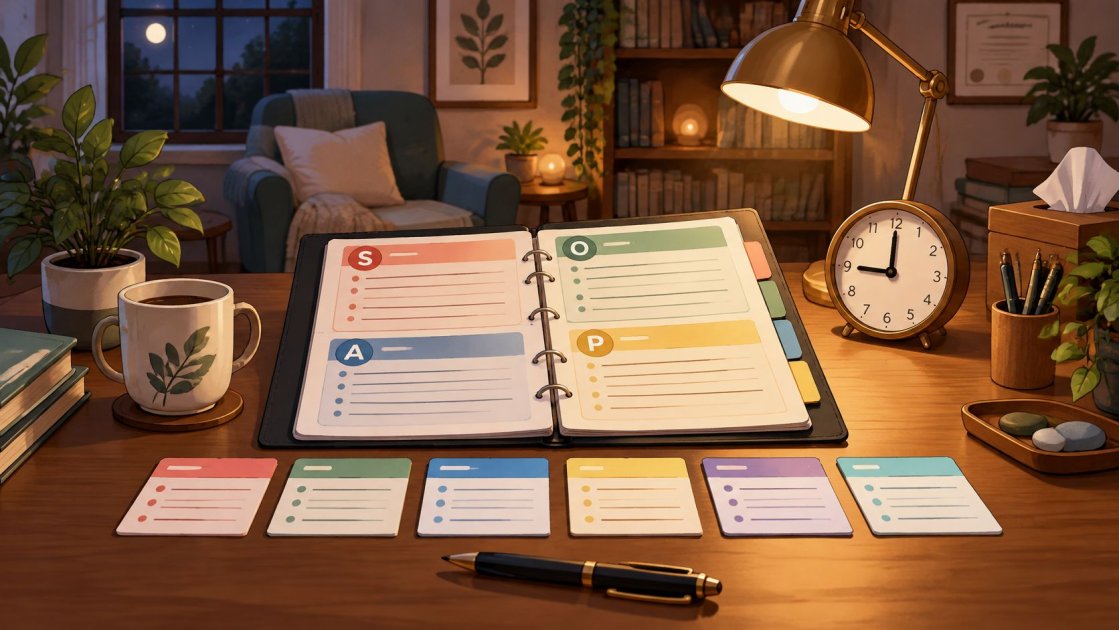
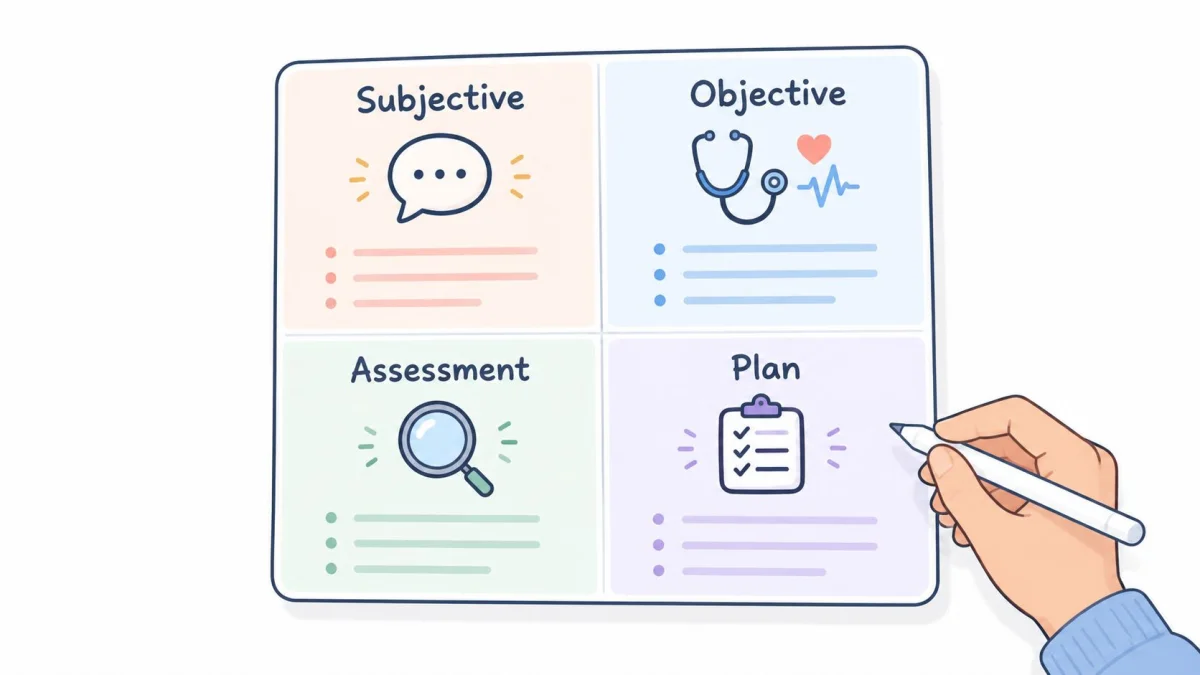
A SOAP note separates the patient's account from observed findings and clinical reasoning. That separation makes the note easier to review and helps the next clinician see why the plan follows from the assessment. PatientNotes includes SOAP as a core template.
Sample scenario: A primary care follow-up for hypertension.
Field-by-field annotation
- Subjective: Record the patient's symptoms, concerns, medication use, home readings, adherence issues, and relevant changes since the last visit. “Blood pressure is better” is weak because it gives no reading, timeframe, or context. A stronger entry identifies the reported pattern and the patient's own concern.
- Objective: Add measured vital signs, examination findings, test results, and other observations. Don't place an unverified patient statement in this section.
- Assessment: State the active problems and the reasoning that connects the history and findings. Avoid copying the diagnosis forward when the current evidence supports a change.
- Plan: Record treatment changes, investigations, education, referrals, follow-up timing, and responsibility for each next step.
SOAP notes can support clinical reasoning, billing documentation, and continuity of care, but the narrative and code must agree. CMS explains that ICD-10-CM classifies diagnoses while CPT identifies services and procedures, so any PatientNotes code suggestion needs clinician review before billing. The clinician should also keep the subjective section concise without removing information that changes risk or management.
Practical rule: A short SOAP note is useful only when another clinician can reconstruct the problem, the evidence, and the next action.
2. History and Physical Examination
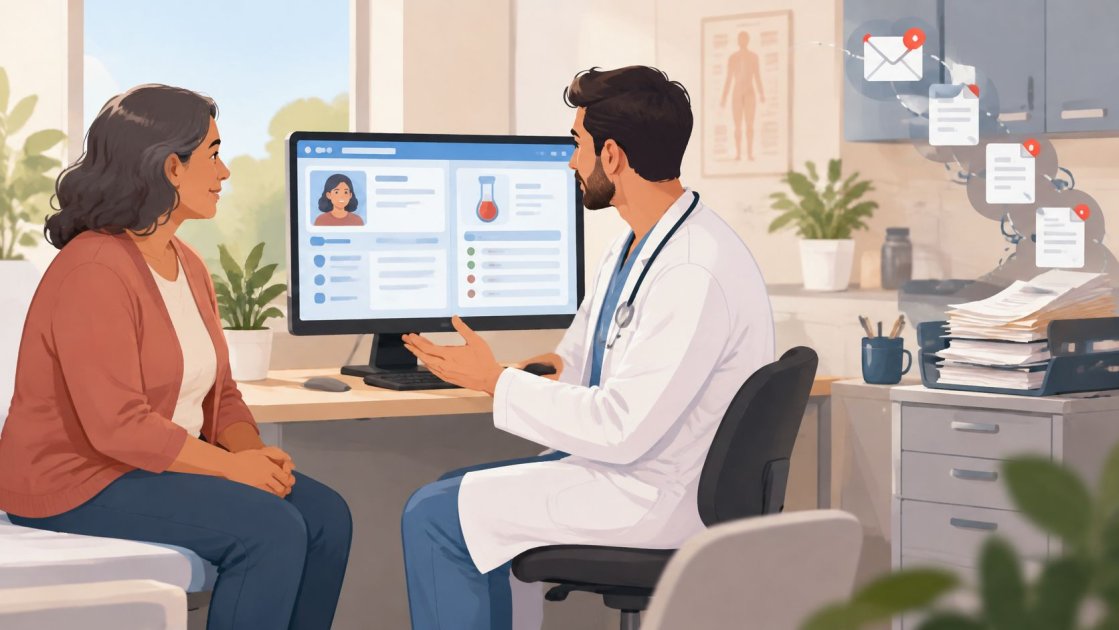
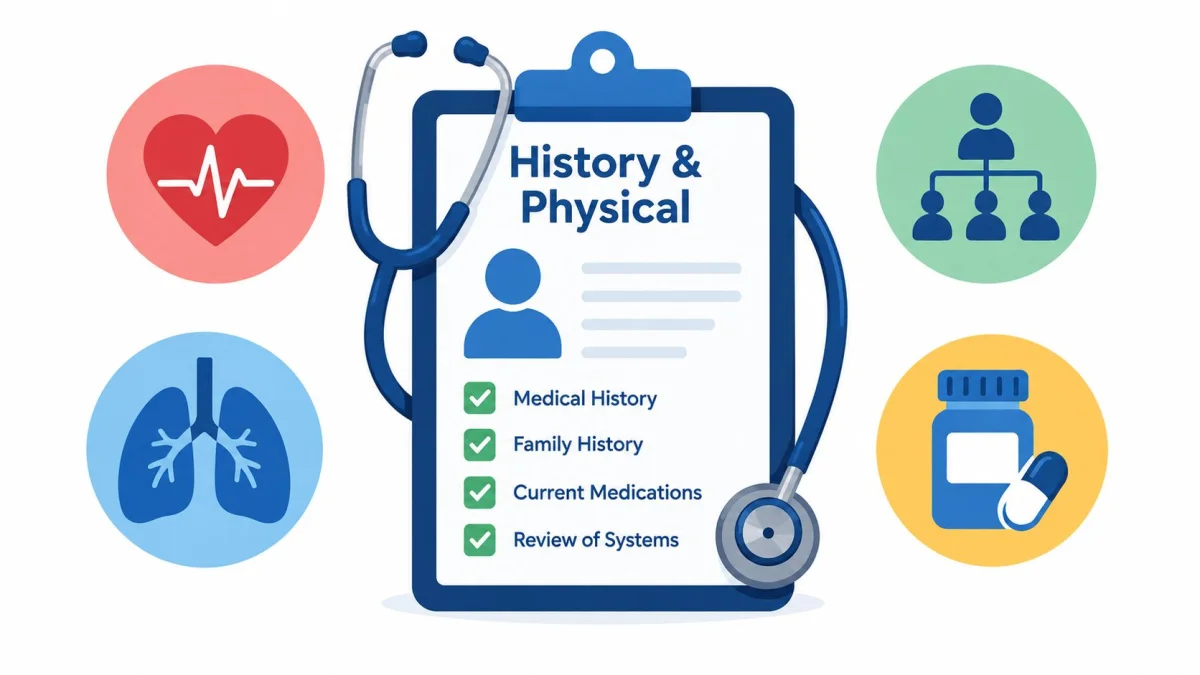
A new referral arrives with diabetes, hypertension, prior surgery, and “worsening symptoms” in the referral note. That is exactly when a clear H&P matters. The reader needs more than a label. They need to see what was asked, what was found, what was missing, and how those points changed the plan. PatientNotes includes a dedicated H&P template for that job.
Use the form field by field, not as a blank page.
Start with chief concern and history of present illness. Record why the patient is here, when the problem started, how it has changed, and what aggravates or relieves it. “Longstanding symptoms” is a weak entry unless you add duration, severity, and effect on function. The sample works best when each field is annotated. It should show the purpose of the field, what a poor entry looks like, and which PatientNotes template fits the report.
Then check the background that changes risk or management. Past medical and surgical history should include conditions and procedures relevant to today's assessment. Avoid pasting a full problem list with no bearing on the visit. Medications and allergies should capture current treatment, dose when confirmed, and any relevant reaction history. If the list is uncertain, say so.
Review of systems needs real questioning. A copied set of negatives is unsafe if those questions were not asked.
For the physical examination, write findings another clinician can picture and compare at the next visit. Keep observed signs separate from patient-reported symptoms. In assessment and plan, connect the history and examination to working diagnoses, tests, treatment, referrals, and follow-up. NHS record-keeping guidance also expects the record to show risks, actions taken, timing, and authorship.
PatientNotes can transcribe the encounter, place content into the H&P structure, and pull out follow-up tasks. The clinician still has to check that every field is accurate.
3. Progress Note
A progress note should show what changed since the previous assessment. It's shorter than an H&P, but short doesn't mean vague. A useful note lets the reader compare symptoms, examination findings, response to treatment, and the next decision.
Sample scenario: A post-operative review documents wound status, pain, mobility, medication use, and planned review.
What belongs in the note
The opening should identify the reason for the review and the relevant prior problem. “Doing well” is a weak entry. It doesn't say whether pain, function, wound healing, medication tolerance, or objective findings have improved.
Use focused sections for:
- Interval history: New symptoms, resolved symptoms, adherence, adverse effects, and patient concerns.
- Current findings: Examination, measurements, test results, or functional observations relevant to the problem.
- Comparison: State what has changed from the last visit instead of repeating the entire prior note.
- Assessment: Explain whether the patient is improving, stable, deteriorating, or showing a mixed response.
- Plan: Include treatment continuation or change, investigations, referrals, precautions, and review responsibilities.
PatientNotes can transcribe the conversation and place content into a progress-note structure. It can also extract tasks, but the clinician should check that each task has the right owner and timing. Where the report supports US billing, code suggestions should be reviewed against the actual service and documented medical necessity. CMS states that providers must select ICD-10-CM codes to the highest level of specificity appropriate to the service year, so a suggested code isn't an automatic billing decision. A practical progress note example can help teams compare a focused update with a copied-forward note.
A progress note earns its place by showing change, not by repeating the chart.
4. Procedure Note
Right after a lesion removal is when details slip. The site sounds obvious in the room. The anesthetic dose feels easy to remember. Twenty minutes later, those gaps turn into phone calls, coding queries, or a pathology report that cannot be matched cleanly to the note. A procedure note prevents that when each field does a specific job.
Sample scenario: A dermatology clinician removes a lesion and sends it for pathology.
Start with the indication and write the clinical reason for doing the procedure today. Then document consent in the way your practice requires, including the discussion of risks, benefits, and alternatives when those points were part of the decision.
From there, the note should read like a field-by-field record of what happened: site, preparation, anesthesia, equipment, technique, specimen handling, and closure if used. This is the point where weak entries stand out. “Lesion removed” does not explain why. “Standard technique” does not tell another clinician what you did. “Tolerated well” is incomplete unless the immediate outcome is also clear.
The findings section should describe what was seen during the procedure, not just the presumed diagnosis. If a specimen was sent, say where it went and how it was labeled. If there were complications and outcome, record them plainly, including the patient's status at the end.
Finish with aftercare. Include wound care, medicines, red-flag symptoms, how results will be communicated, and follow-up.
PatientNotes includes procedure templates that map these fields directly, so the report is built around the parts clinicians need to complete. Its native iOS app supports recording during or immediately after a procedure, including offline recording. I still review every generated note line by line. Code suggestions also need review. ICD-10, CPT, and CDT suggestions in PatientNotes apply to US billing only, and the narrative should support the final code choice.
5. Consultation Note
A surgeon sends a patient for pre-operative clearance. The referral asks a narrow question, but the chart is long, the symptoms are mixed, and the operation date is close. A good consultation note answers that question quickly, then shows how you reached the answer.
For this kind of report, I annotate each field as I write it. That keeps the note useful to the referring clinician and makes weak entries easy to spot. It also helps match the case to the right PatientNotes consultation template instead of forcing every referral into the same format.
Start with the referral question in the first lines. Write the decision that needs specialist input. “Cardiac review” does not tell the reader what must be decided. “Assessment of exertional symptoms and perioperative cardiac risk before planned surgery” does.
Then build only the parts that support that question. A consultation note usually needs relevant history, focused examination and investigations, assessment, recommendations, and a communication plan. Field by field, the standard is practical. A weak history lists every chronic problem without showing what affects the current decision. A stronger one names symptom pattern, timing, prior testing, medicines, risk factors, and patient priorities that change management.
The same rule applies to the middle of the note. Record examination findings and test results that bear on the referral. In the assessment, give your interpretation in plain language and state uncertainty clearly when it remains.
Close with actions that someone can own. “Follow up later” is a poor entry. A better recommendation names the responsible practice, the next step, and what should trigger it. Put medication changes, pending investigations, and follow-up responsibilities where they can be found fast. If the patient declines part of the plan, document that accurately. PatientNotes includes a consultation template that helps structure these fields and extract tasks, but I still review the final wording before signing.
6. Discharge Summary
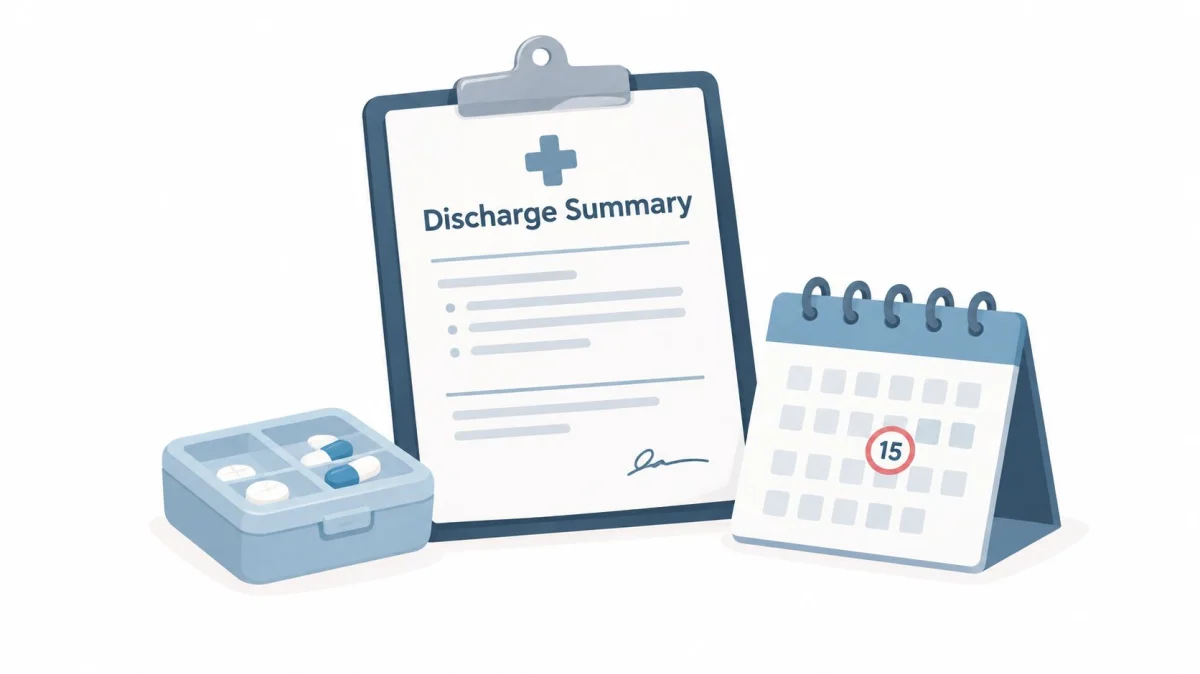
At discharge, the first question is simple. What does the next clinician need to do, and what does the patient need to watch for today? If that is unclear, the summary has not done its job. PatientNotes includes a discharge-summary template that helps organise those answers while the admission is still fresh.
Sample scenario: A patient leaves hospital after treatment for an acute illness.
A good discharge summary works field by field. The reason for admission should state the presenting problem and the confirmed or working diagnosis in plain terms. The hospital course should cover the findings, treatment, response, complications, and specialist input that changed management. A weak entry turns into a day-by-day diary. A useful one explains the course of the admission and why the patient is leaving now.
The middle of the form often decides whether handoff is safe. Status at discharge should record current condition, relevant examination findings, ongoing risks, and functional status. Medication changes need to show what started, stopped, or changed, with clear instructions. Pending results must name the test, the responsible clinician or service, and how the result will be followed up.
Then make the aftercare easy to act on. Follow-up should state destination, purpose, timeframe, and who is arranging it. Patient education should use plain language and include warning signs that fit the case.
In practice, weak summaries usually fail in predictable places. The diagnosis is recorded, but not the uncertainty. The medicines are listed, but the reason for the change is missing. A test is still pending, but no owner is named. Record the actions taken, the risks identified, and the information shared with other professionals. PatientNotes can help draft the summary, but I still check medication instructions, follow-up arrangements, and pending results before signing.
7. Clinical Letter
A GP opens your letter between clinics. They need the answer quickly. In the sample below, each part of the letter has a job. It also helps to know what a weak entry looks like before you send it.
Start with the addressee and the reason for writing. If the patient was referred, name the referral question or the prior message you are answering. Then identify the patient clearly. A vague opening slows the reader down and increases the chance that the main conclusion gets buried.
Take a common case. A specialist reviews a patient with a complex rash and writes back to primary care. The letter works best when the sequence matches the decisions the GP needs to make: why this letter was sent, the findings that matter, the current impression, and the actions requested.
Here is the field order I use in practice:
- Purpose: Referral reply, results update, treatment advice, or request for action.
- Clinical summary: Focused history, examination, relevant tests, and the patient's view where it affects care.
- Impression: Working diagnosis or clinical interpretation, including uncertainty where it remains.
- Recommendations: Specific treatment, monitoring, further tests, or onward referral.
- Responsibilities: Who will arrange each step, and when review should happen.
- Closing information: Contact details, author name, role, date, and copied recipients.
Weak letters fail in predictable ways. The plan is hidden in polite prose. A proposed change is written as if it has already been done. Medication instructions are incomplete. Responsibility for follow-up is left unclear.
PatientNotes can transcribe the consultation and draft the letter in template form. I still check names, recipient details, results, and medication directions before sending. For teams building annotated samples, these referral letter examples are useful for comparing field order, tone, and purpose.
8. Specialty-Specific Templates
A general template can capture the broad structure of a visit. It can't always prompt for the fields that make a specialty report usable. PatientNotes provides templates across 37 specialties, including family medicine, psychiatry, psychology and psychotherapy, dentistry, periodontics, physiotherapy, PM&R, cardiology, dermatology, orthopedics, OB/GYN, and pediatrics.
Sample scenarios: A psychiatry note includes a mental status examination. A dentistry note identifies the tooth and surface. A physical therapy note records functional assessment. A cardiology note separates ECG and echocardiogram findings. An OB/GYN note captures pregnancy-specific assessment.
The field should match the decision
A specialty field earns its place when it helps the clinician assess, treat, communicate, or follow up. A weak template adds every possible prompt and encourages boilerplate. A stronger one asks for the findings that change the next clinical decision.
A structured note can improve clarity without requiring excessive prose. A multicenter study comparing 144 unstructured notes with 144 structured notes found that mean quality increased from 64.35 to 77.20 on the Qnote quality score, with the difference statistically significant at p < 0.001. The peer-reviewed study also found that structured notes were longer but judged clearer and more concise. Quality should therefore be checked with completeness and usability audits, not word count alone.
Clinicians can review the PatientNotes specialty template library, choose the closest starting point, and adjust sections that don't fit the practice. If the specialty or workflow isn't listed, the AI template builder can create a custom structure. A clinician should still test whether the template captures observed facts, patient-reported history, inference, pending actions, and follow-up responsibility without generating repetitive text.
For broader practice operations, teams may also review IT compliance for medical practices alongside their own privacy and security requirements.
9. AI Template Builder
A custom template helps when the report type is fine but the fields are wrong. That is common in real clinics. A rehab service may need functional goals beside exam findings. A shared care clinic may need one note that shows who observed what, who made the decision, and who owns the follow-up.
PatientNotes lets clinicians build that structure from dictation, chat, or an uploaded document. The useful part is not just the final layout. It is the field-by-field design. Each field should earn its place. It should be clear what the field is for, what a weak entry looks like, and which parts must stay separate, such as patient history, observed findings, interpretation, and plan.
The input matters. If you feed the builder a note full of copied text, missing headings, or vague prompts, the template will copy those habits. I usually start with one strong note and mark it up before upload. Keep the section order that matches how decisions are made. Pull repeated boilerplate out. Rename vague headers. If patient instructions must be written in plain language, say so up front.
A good custom template usually answers five practical questions:
- What appears first? Put time-sensitive findings and decision-driving details near the top.
- What must be separated? Keep patient report, examination, assessment, and actions distinct.
- What should never be buried? Escalation points, restrictions, safety advice, and ownership often need their own fields.
- What should be removed? Empty review items and duplicated prompts create noise.
- How should it read outside the source system? The note should still make sense after copy and paste.
That last point matters. Templates often look tidy inside one workflow and messy everywhere else. PatientNotes supports copy and paste into every EHR except its Semble integration, so headings and wording still need to be readable without the original formatting.
Then test the template on different visit types. Check a straightforward follow-up, a messy first visit, and a case with uncertainty. The output should show what is known, what is suspected, and what happens next. The guide to AI templates is a useful starting point. Teams working around a dental service line may also see dental practice marketing help, but clinical documentation choices should stay separate from marketing.
10. Ambient Recording With Automatic Transcription and Clinical Note Generation
A common end-of-day scene looks like this. The visit is over, the patient has left, and the chart is still blank except for a few orders. Ambient recording changes that first step. Instead of starting from scratch, the clinician opens a draft built from the conversation and reviews it line by line.
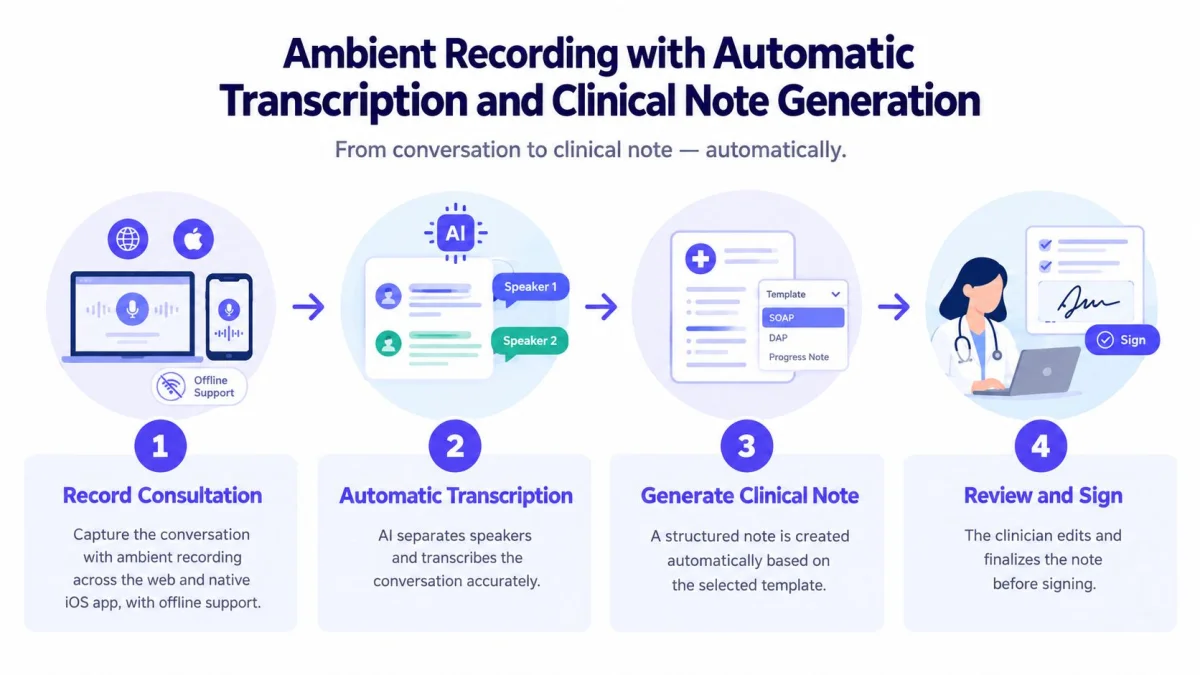
PatientNotes records in-person, phone, and telehealth visits on the web or in its native iOS app. It can record offline, even with the screen locked. It then creates a transcript with speaker separation, applies the chosen template, pulls out follow-up tasks, and suggests US billing codes for clinician review.
For this kind of report, field quality matters more than speed alone. A strong generated note keeps the history, findings, assessment, and plan in the right place. A weak one mixes patient quotes with clinical judgment, drops a medication change into the wrong section, or misses a correction made halfway through the visit. Each sample in this guide is meant to be read that way, field by field, including what the field is for and which PatientNotes template fits the report.
The review point is where the work really happens. Consent comes first, with the local rules that apply to recording. Then the visit is captured. After that, the transcript needs a careful read for speaker attribution, drug names, numbers, negations, and any statement the patient corrected. Only then should the system-generated note be checked against the selected SOAP, H&P, specialty, or custom template, signed off, and sent into the record.
That human check is not optional in practice.
The burden behind all this is well described. A nationally representative analysis in JAMA Internal Medicine study found that physicians spent an average of 1.77 hours per day on clinical documentation outside normal office hours, with a 95% confidence interval of 1.67 to 1.87 hours. The same study, based on 1,524 physicians representing an estimated 301,603 doctors, estimated about 125 million hours of after-hours documentation by US physicians in 2019. That explains the appeal of a draft note. It does not remove the need to verify it.
A separate JAMIA research linked after-hours documentation burden with burnout. The practical lesson is simple. Use automation to cut repetitive typing, then review the output as you would review dictation from any other source.
A short process video can show the recording and review sequence.
Offline capture helps in low-signal settings, including rural work, but the note still needs final review once it syncs. Notes and tasks can be generated in the clinician's own language. Patient instructions should stay plain. Uncertainty, red flags, medication risks, abnormal findings, and pending tests should be stated clearly, not softened or left out.
10-Item Comparison: Medical Report Samples
| Item | Implementation complexity | Resource requirements | Expected outcomes | Ideal use cases | Key advantages |
|---|---|---|---|---|---|
| SOAP Note (Subjective, Objective, Assessment, Plan) | Low, simple four-part structure | Minimal, basic EHR/template and clinician time | Standardized concise documentation; supports billing and handoffs | Primary care visits, urgent care, routine follow-ups | Universally recognized; supports coding; familiar format |
| History and Physical (H&P) Examination | High, comprehensive, detailed | High, lengthy interview, full exam, time-intensive | Thorough baseline record for admissions and pre-op planning | New patient evaluations, hospital admissions, pre-operative clearance | Complete documentation; supports complex reasoning and handoffs |
| Progress Note | Low, focused and brief | Low, fast updates, frequent entries | Efficient tracking of status and treatment response | Follow-ups, post-op checks, therapy and psychiatric follow-ups | Fast to document; reduces documentation burden; supports serial billing |
| Procedure Note | Moderate-High, technical and time-sensitive | High, real-time or immediate post-procedure documentation, coding support | Detailed procedural record for billing, quality, and liability | Minor surgeries, biopsies, injections, endoscopy, dental procedures | Enables accurate CPT coding; provides liability protection; documents technique |
| Consultation Note | Moderate, focused specialist assessment | Moderate, timely review, coordination with referring provider | Clear recommendations and communication between clinicians | Specialist consults, referrals for pre-op clearance, complex opinions | Facilitates PCP-specialist coordination; clarifies next steps; billable |
| Discharge Summary | High, synthesis of inpatient course, time-critical | High, coordination with inpatient team, comprehensive data | Effective handoff to outpatient care; reduces readmission risk | Hospital discharges, post-operative discharges, rehab transitions | Critical for continuity; supports billing and liability; reduces gaps in care |
| Clinical Letter (Referral/Communication Letter) | Moderate, narrative but structured | Low-Moderate, time to compose, recipient details | Formal clinician-to-clinician communication and record | UK-style referrals, specialist reports to GP, formal updates | Professional format accepted across systems; creates formal trail |
| Specialty-Specific Templates (37 Specialties) | Low, pre-built templates; customization optional | Low, ready-made templates, minimal setup | Consistent specialty-appropriate documentation and coding support | Specialty clinics (cardiology, psychiatry, dentistry, OB/GYN, etc.) | Saves time; improves completeness and specialty coding; consistent notes |
| AI Template Builder (Custom Notes) | Moderate, initial template creation, low ongoing | Moderate, example notes, AI training time | Custom templates matching clinician style; automates future notes | Boutique or hybrid specialties, multi-disciplinary teams, custom workflows | Highly customizable; evolves with practice; captures preferred documentation style |
| Ambient Recording with Transcription & Note Generation | High, technical integration, consent, review workflow | High, recording devices/apps, transcription AI, clinician review, consent process | Eliminates manual note-writing; reduces after-hours charting; consistent notes | High-volume clinics, telehealth, rural offline scenarios, mental health visits | Saves clinician time; improves completeness; offline iOS support; reduces burnout |
Build Your First Template This Week
A good report template begins with the report written most often. A primary care clinician may start with SOAP. A specialist may need a consultation or procedure note. A hospital-based team may gain more from a discharge summary. A therapist, dentist, or physiotherapist may need specialty fields that a generic note leaves out.
Start by copying the fields into one working document. Keep the headings that clinicians use. Remove fields that are always irrelevant. Add the field that gets forgotten repeatedly, such as the pending-result owner, the patient's understanding of the plan, the exact procedure site, or the follow-up trigger.
The template should make important distinctions visible. Separate what the patient said from what the clinician observed. Separate the assessment from the plan. Separate a proposed action from an action already completed. If a task is pending, identify who owns it and what should happen next. These choices make the note easier to retrieve and reduce the risk that a plan disappears inside a long paragraph.
The template also needs to work for two audiences. Clinicians need precise findings, diagnostic uncertainty, risk information, and decision reasoning. Patients may read the same note through a portal and need language that explains the plan without hiding important concerns. Patient-access research found that clinicians and patients can identify different safety concerns in clinical notes. In one study of 467 patients, clinicians identified 31 diagnostic concerns, while patients reported 51, with only 11 concerns overlapping, or 21.6%. The JMIR study on patient-accessible notes supports writing with both audiences in mind.
Test the draft on five real notes, then compare the results. Look for missing information, copied text, unclear responsibility, and review time. Check the finished structure against primary sources. US practices should review CMS guidance for ICD-10-CM and CPT, while UK practices should check relevant NHS record-keeping guidance. Coding rules are not interchangeable across countries, and PatientNotes' ICD-10, CPT, and CDT suggestions apply to US billing only.
PatientNotes provides SOAP, H&P, progress, procedure, consultation, discharge, and letter templates, plus specialty templates and an AI template builder. It's HIPAA compliant, includes a BAA at no extra cost, and works with Semble through an integration. Every other EHR works by copy and paste. Pricing is $70 per user per month billed monthly or $50 per user per month billed annually, with a 7-day free trial that requires no credit card and a 14-day money-back guarantee. There's no enterprise tier and no sales call. The native iOS app supports offline recording, and notes and tasks can be produced in the clinician's own language.
For a structure built around a specialty, clinicians can review PatientNotes specialties. The PatientNotes pricing page explains the current trial and subscription options. Product details and pricing may change, so practices should confirm them before starting.
PatientNotes turns consultations into structured drafts for SOAP, H&P, progress, procedure, consultation, discharge, letter, specialty, and custom templates. It supports web recording and a native iOS app with offline recording, while every EHR other than Semble can be used through copy and paste. Visit PatientNotes to start the 7-day free trial without a credit card and test a report format that fits the practice.