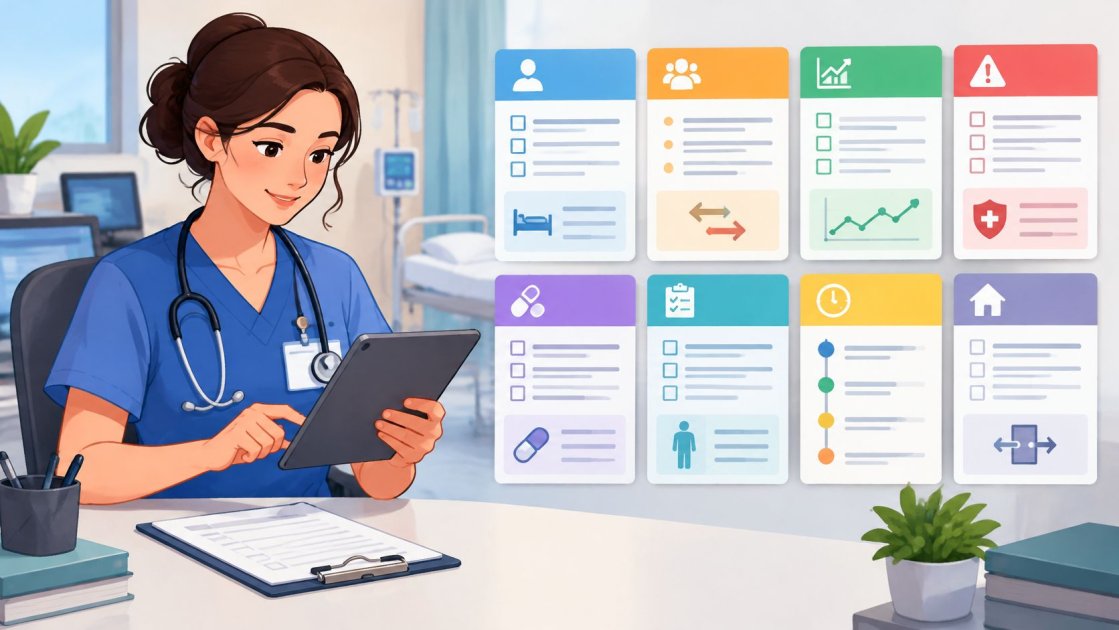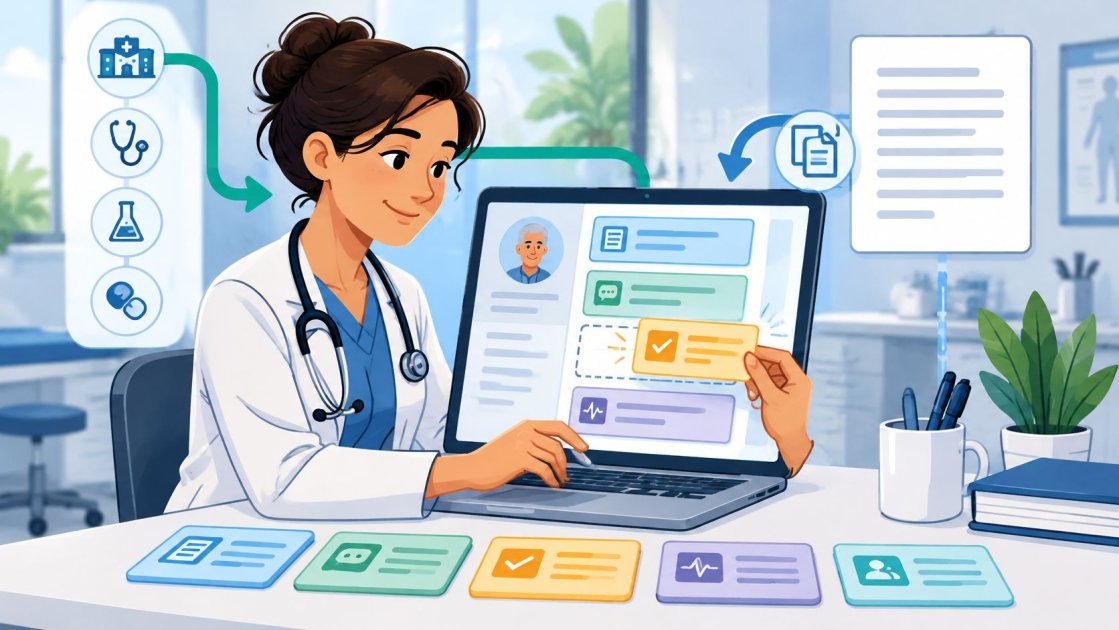
The last patient has left, but the clinician still has unfinished notes, follow-up tasks on a scrap of paper, and an EHR that expects information in separate fields. The practice can't replace its record system just to make documentation easier. It needs a workable route from the consultation to a reviewed, saved note.
An EHR your way approach treats the existing record system as a fixed constraint. The clinician chooses a suitable note format, tests how the text reaches the record, and measures the work that remains after drafting. The useful result isn't a faster note. It's a completed encounter with fewer avoidable steps.
EHR Your Way Explained and the Integration Paths Compared
EHR your way means fitting the note workflow to the EHR already in use, rather than changing the EHR to fit a documentation tool. The destination screen comes first: its note fields, required headings, task lists, and completion steps determine how the workflow should operate.
There's a distinction between that approach and EHRYourWay, the behavioral-health record system. Its public product materials describe clinical documentation, treatment planning, billing, scheduling, compliance, and patient-portal functions. Choosing an integrated EHR is a broader operational decision than adding a way to prepare notes.
A small practice should keep those decisions separate. A clinician who needs less typing may not need new scheduling software, migrated records, or a rebuilt billing process. Conversely, a documentation tool won't repair an EHR whose underlying workflows no longer fit the practice.
Integration paths by EHR
PatientNotes has Semble as its only native EHR integration. Every other EHR uses copy and paste, so the clinician remains responsible for placing the reviewed text in the appropriate record.
| EHR | How the note gets into the record | Best fit |
|---|---|---|
| Semble | Native integration | Practices that use Semble as their EHR |
| Any other EHR | Copy and paste into the note field | Solo and small practices on any other EHR |
| Epic or Cerner-based health system | Copy and paste, no deep integration | Not the target; PatientNotes is not built for deep Epic integration |
For a practice using Semble, the integration moves the finished note into the record and removes manual transfer steps. Current setup requirements should be checked against Semble's own documentation. A practice should also confirm which destination fields the connection supports before building its workflow around them.
For other EHRs, a free-text note field provides a practical destination for plain text. The clinician controls the wording, reviews it, and places it in the record. That's useful compatibility, but it isn't automatic synchronization.
A pasted paragraph doesn't populate a medication list, create an order, submit a claim, or schedule a follow-up. Those actions remain separate unless the EHR itself supports them through its normal workflow. Treating narrative text as structured data is a common implementation mistake.
Practical rule: Judge the workflow by what reaches the correct destination field, not by whether a vendor describes the systems as connected.
The EHR pros and cons guide can help a practice separate record-system problems from note-production problems. For broader organizational planning, Ekipa AI's resource on AI adoption in healthcare provides context for discussing implementation responsibilities beyond drafting.
Questions that determine the right path
The practice should answer these questions before configuring templates:
- Who enters the note? A named person should own review, transfer, and confirmation that the entry was saved. An unnamed handoff becomes unfinished work.
- How many clinicians share the record? Shared records need consistent headings and clear authorship, even when clinicians prefer different writing styles.
- Does the team already use Semble? Existing users can assess the native path without assuming it handles every downstream action.
- Does any clinician work across sites? Different EHRs may require different destination formats, even when the consultation structure stays similar.
Consider a clinician using Semble at one site and another EHR elsewhere. The practical arrangement is the native connection at the first site and a tested paste workflow at the second. Forcing identical transfer mechanics across both sites adds unnecessary work.
The practice should run the chosen route for a week of real visits before committing. Timing should include setup, review, corrections, transfer, and encounter completion. A quicker draft isn't a meaningful improvement if the clinician spends the saved time repairing the final entry.
Why Note Workflows Matter for Time and Patient Data
Documentation consumes time beyond the consultation itself. An NHS England technology-transformation document summarizes a Journal of the American Medical Informatics Association systematic review covering 35 studies, which found that physicians consistently spent roughly twice as much time on electronic documentation and clerical tasks as on direct patient care. It also describes an observational study of primary-care physicians who spent 355 minutes, or 5.9 hours, in the EHR during an 11.4-hour workday, including 86 minutes after clinic hours.
Those findings describe particular study settings, not a promised saving from an automated workflow. They explain why digitizing records hasn't necessarily shortened the working day. Late notes can reflect the cumulative effort of documentation, inbox work, and other EHR tasks rather than slow typing alone.
Measure completion rather than generation
The target is less time capturing, reviewing, and completing notes without losing their usefulness. A fluent draft that needs extensive correction may provide little advantage over an established process.
A practical audit separates the work into:
- Capture: Starting the recording and obtaining usable audio.
- Review: Checking the draft and correcting omissions or wrong details.
- Completion: Transferring information and finishing the encounter inside the EHR.
The documentation time-saving tips offer a starting point for examining those steps. Managers reviewing broader administrative handoffs can also use SendItFax's cost-saving guidance for healthcare leaders to structure a separate operational discussion.
Keep information handling within scope
Clinical notes can contain protected health information. PatientNotes states that it is HIPAA compliant, and a BAA is included on every plan and on the free trial at no extra cost.
A business associate agreement is the contract addressing a vendor's responsibilities for handling protected health information under HIPAA. The practice's privacy lead should read HHS guidance on business associate agreements before relying on any contract, then examine the actual terms and proposed handling process.
The practical test is whether the workflow cuts retyping while keeping information under control. If staff must move notes through personal messages or unapproved storage, the practice hasn't finished designing the process. Access, transfer, review, and retention need attention alongside drafting speed.
Choosing a Specialty Template Before You Record
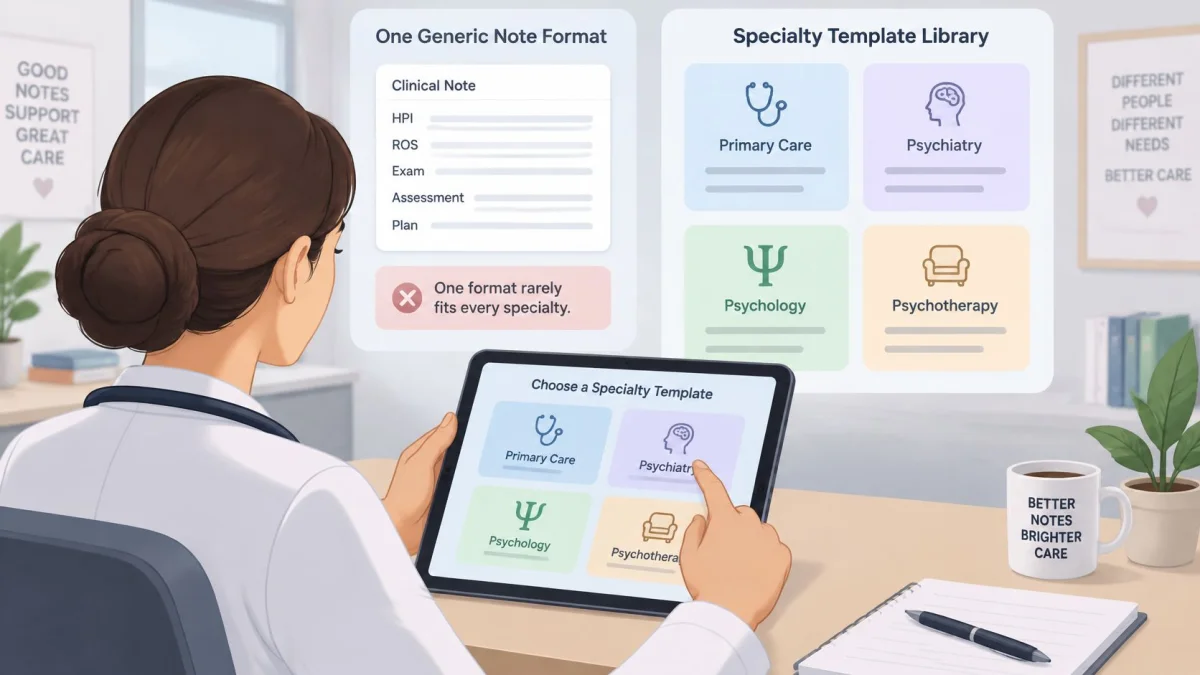
A fixed note format rarely fits every specialty. A psychotherapy progress note and a procedure note shouldn't force the clinician to remove the same irrelevant headings after each consultation.
The PatientNotes medical recording app guide describes templates across 37 specialties, including primary care, psychiatry, psychology and psychotherapy, dentistry, physiotherapy, cardiology, dermatology, orthopedics, obstetrics and gynecology, and pediatrics. It also describes an AI template builder that creates a format from dictation, chat, or an uploaded document.
The specialty library provides a starting structure rather than a reason to abandon the practice's established documentation format.
Build from the EHR fields
The specialty template library helps clinicians identify a close match. Standard formats include SOAP, H&P, progress, procedure, consultation, discharge, and letter templates, but the label matters less than the destination fields.
A proposed setup sequence is:
- Choose the closest specialty template, or start blank. A close match reduces rebuilding. A blank format makes sense when the EHR uses an unusual structure.
- Dictate a representative sample note. The sample should include the headings and writing style normally used, without introducing identifying information unnecessarily.
- Name each section to match the EHR. Extra sections create extra sorting. When the EHR has a single narrative field, readable internal headings may be enough.
- Test three real visits. The clinician compares each output with what would otherwise have been written, looking for omissions, unsupported statements, and repeated edits.
- Save the template and review it after two weeks. Recurring corrections suggest a configuration problem. An isolated error needs individual review rather than an immediate redesign.
These are suggested testing intervals, not performance claims. A practice with varied appointment types may need a wider set of examples before approving its format.
Remove headings that create unnecessary work
A template should organize information, not encourage unsupported statements. An examination heading that appears in every draft creates avoidable review work when no examination occurred.
A useful template makes missing information visible. It doesn't make an incomplete encounter look complete.
Separate initial-assessment and routine-follow-up formats may work better than a long universal template. The same principle applies when a clinician alternates between consultations and procedures.
A working template has headings that match the EHR, appropriate detail, and little avoidable rearrangement. Notes and tasks can be produced in the clinician's own language while the practice retains a consistent destination format. The aim is a reliable structure, not identical prose across every encounter.
How to Copy a Finished Note Into Any EHR
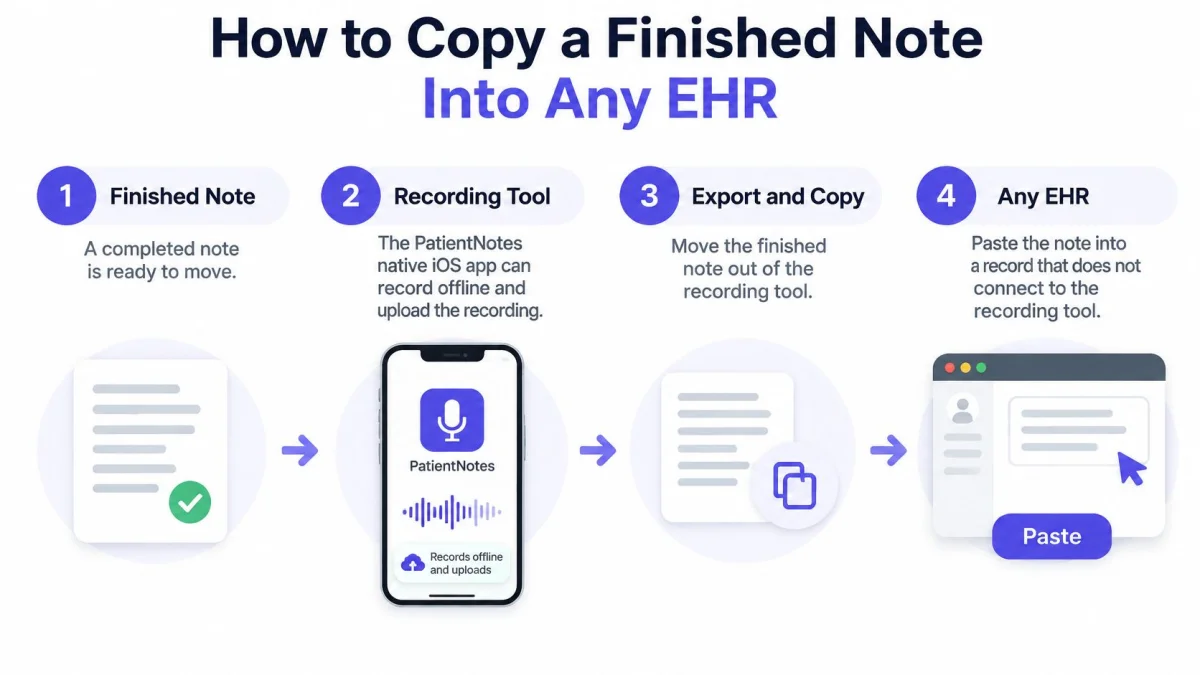
A finished draft still has to reach the record when the recording tool doesn't connect to it. The PatientNotes native iOS app can continue recording offline and upload after connectivity returns. That supports capture with poor connectivity, but processing still depends on the recording reaching the service.
The transfer route needs an explicit endpoint. The illustration shows the path from a finished note to the destination record.
Prepare and review the text
The core workflow has three steps: record the visit, get the structured note ready moments after recording stops, then review, edit if needed, and copy it into the EHR. For an offline recording, upload must occur before the structured note can be prepared.
The operational checklist expands those stages:
- The clinician records the visit in the iOS app. Recording follows the practice's approved consent process. Before starting, the clinician checks the session and microphone position.
- The clinician waits for the structured note. The draft uses the transcript and selected template. A missing section should prompt a check of the source material rather than an assumption that nothing relevant occurred.
- The clinician reviews the draft against the encounter. A familiar heading doesn't prove the content beneath it is correct. Unsupported statements and misplaced information need attention before transfer.
- Incorrect details are edited. Names, dates, and medication details deserve deliberate checking. Uncertainty should be resolved from an appropriate source, not replaced with a plausible guess.
The clinician should also confirm that the selected session belongs to the intended patient. Accurate text pasted into the wrong chart is still a failed transfer.
Complete the entry inside the EHR
- The clinician copies the note into the intended field. Plain-text paste helps avoid unwanted fonts, spacing, and list formatting. The result should be checked inside the EHR, especially when information is divided among fields.
- Tasks and patient instructions go into their own locations. A follow-up mentioned in the note body doesn't automatically become an actionable task. Ownership and final edits need to be saved through the practice's normal process.
The exporting notes instructions provide the product-specific reference for transferring the finished text. A successful paste into a test document doesn't prove that the EHR will preserve the same layout.
A demonstration can help staff understand the transfer sequence before testing their own destination fields.
A complete entry has a clear endpoint: the reviewed note is in the correct record, tasks are logged, and the final edits are saved. Leaving the source draft open isn't evidence that the encounter has been completed.
How to Roll Out Your Workflow in Four Weeks
A new process that disrupts a busy clinic can be abandoned before staff learn it properly. A limited pilot gives the practice room to distinguish configuration problems from training problems.
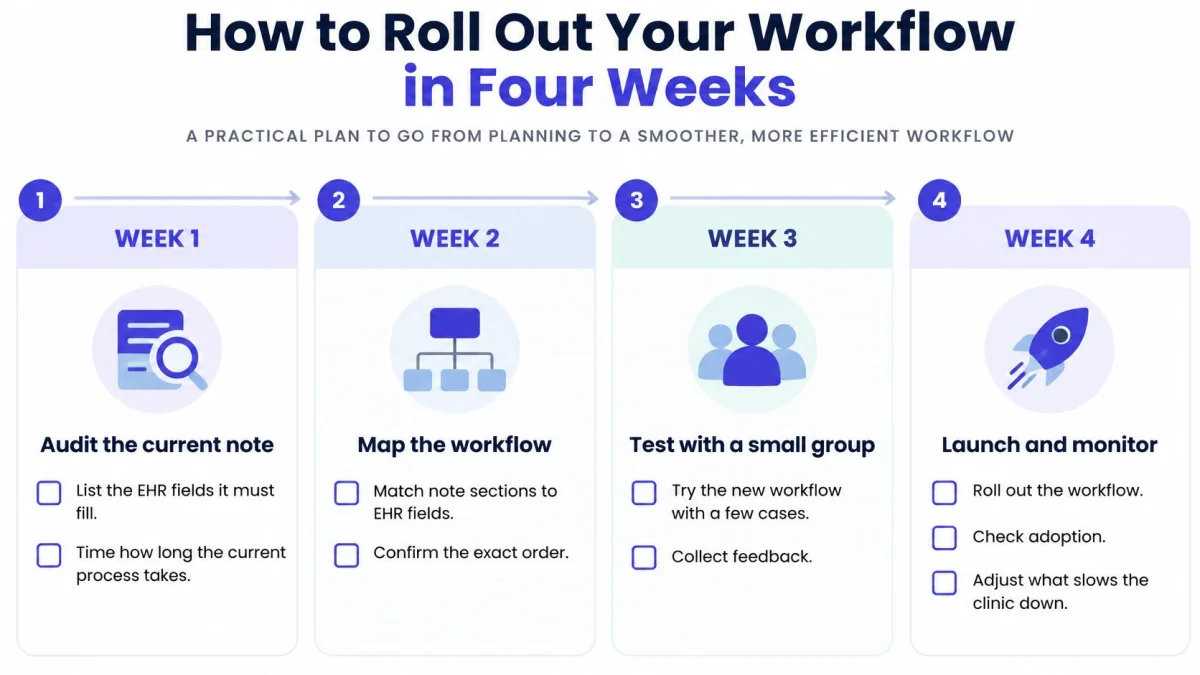
The following four-week schedule is a proposed implementation plan, not a claim about how long every practice needs. Each phase should produce something concrete that the next phase can test.
Audit, configure, test, and approve
Week 1 establishes the baseline. The practice audits its current note, lists the EHR fields it must fill, and times the complete process. Staff identify where follow-up tasks and patient instructions belong, including who handles each handoff.
Week 2 builds the template. A clinician maps the note sections to their destinations and tests five notes from past visits using material approved for that purpose. Recurring omissions, unnecessary headings, and formatting repairs should be logged separately.
Week 3 tests live work. One clinician runs the entire process on real visits, including the transfer step. Testing draft generation alone leaves the final handoff unexamined.
Week 4 sets operating rules. The practice reviews corrections and minutes saved, names a template owner, and decides how changes are approved. Staff need a way to report problems without creating competing versions.
The rollout checklist keeps those responsibilities visible.
Rollout problems, causes and fixes
The practice should find the symptom, check the likely cause, and apply the smallest appropriate fix before changing the template. Content errors and transfer errors need different responses.
| Symptom | Likely cause | Fix |
|---|---|---|
| Note has wrong names or doses | Recording was unclear or the review was skipped | Review every note before copying and re-record the clinician's dictation when the audio was unclear |
| Note headings do not match EHR fields | Template built from a different specialty | Rebuild the headings from the EHR screen and test three notes |
| Pasted text looks broken | Rich text pasted into a plain-text field | Paste as plain text and check the note inside the EHR |
| Staff resist the new steps | Workflow changed for the whole team at once | Pilot with one clinician for one week before team rollout |
Pilot boundary: Expansion should wait while the initial clinician still needs an improvised workaround to finish each encounter.
The review log should explain why edits occurred. A wrong name, an unnecessary section, and a missed handoff indicate different problems; combining them into a single error count makes troubleshooting harder.
The completion checklist stays short:
- Template saved: An approved version has a named owner.
- Paste tested: The destination preserves readable text.
- Tasks logged: Follow-ups reach the appropriate work queue.
- Clinician sign-off recorded: A clinician has approved the complete workflow.
Confirm Your Workflow and Start a Trial
The decision rests on the EHR path, a suitable template, and a practical test before payment. A convincing draft isn't enough to justify an annual commitment.
The PatientNotes terms specify $70 per user per month billed monthly, or $50 per user per month billed annually as $600 per user per year, with a 7-day free trial requiring no credit card and a 14-day money-back guarantee for a new paid subscription. Those terms are summarized below.
Plans and terms
| Option | Price or term | Notes |
|---|---|---|
| Monthly billing | $70 per user per month | Cancel at any time, no contract |
| Annual billing | $50 per user per month | $600 per user per year |
| Free trial | 7 days | No credit card required |
| Refund | 14-day money-back guarantee | New paid subscription |
There's no enterprise tier and no sales call. Every PatientNotes subscription includes unlimited recordings, while cost scales with clinician seats.
PatientNotes is built by a London-based company. Its ICD-10, CPT, and CDT code suggestions apply to US billing only; UK clinicians receive notes and tasks in their own language but no code suggestions. It isn't built for health systems requiring deep Epic integration.
The next steps are specific:
- Confirm the transfer path: Use the integration table to establish how the finished text reaches the record.
- Choose the starting format: Select the specialty template that most closely matches the existing EHR.
- Compare the commitment: Review PatientNotes pricing and the workflow comparison before selecting a billing schedule.
The first week of the rollout belongs inside the trial period. The decision should rest on completed records and manageable review effort, not generation speed alone.
PatientNotes offers consultation recording, structured notes, and clinician review without requiring a small practice to replace its EHR. Clinicians can visit PatientNotes to start a trial, test a representative visit type, and confirm whether the complete workflow reduces documentation work.